What to do if your WhatsApp is disconnected from Wabot?
Apr 30, 2025●
1
Navigate to https://app.wabot.my/dashboard
2
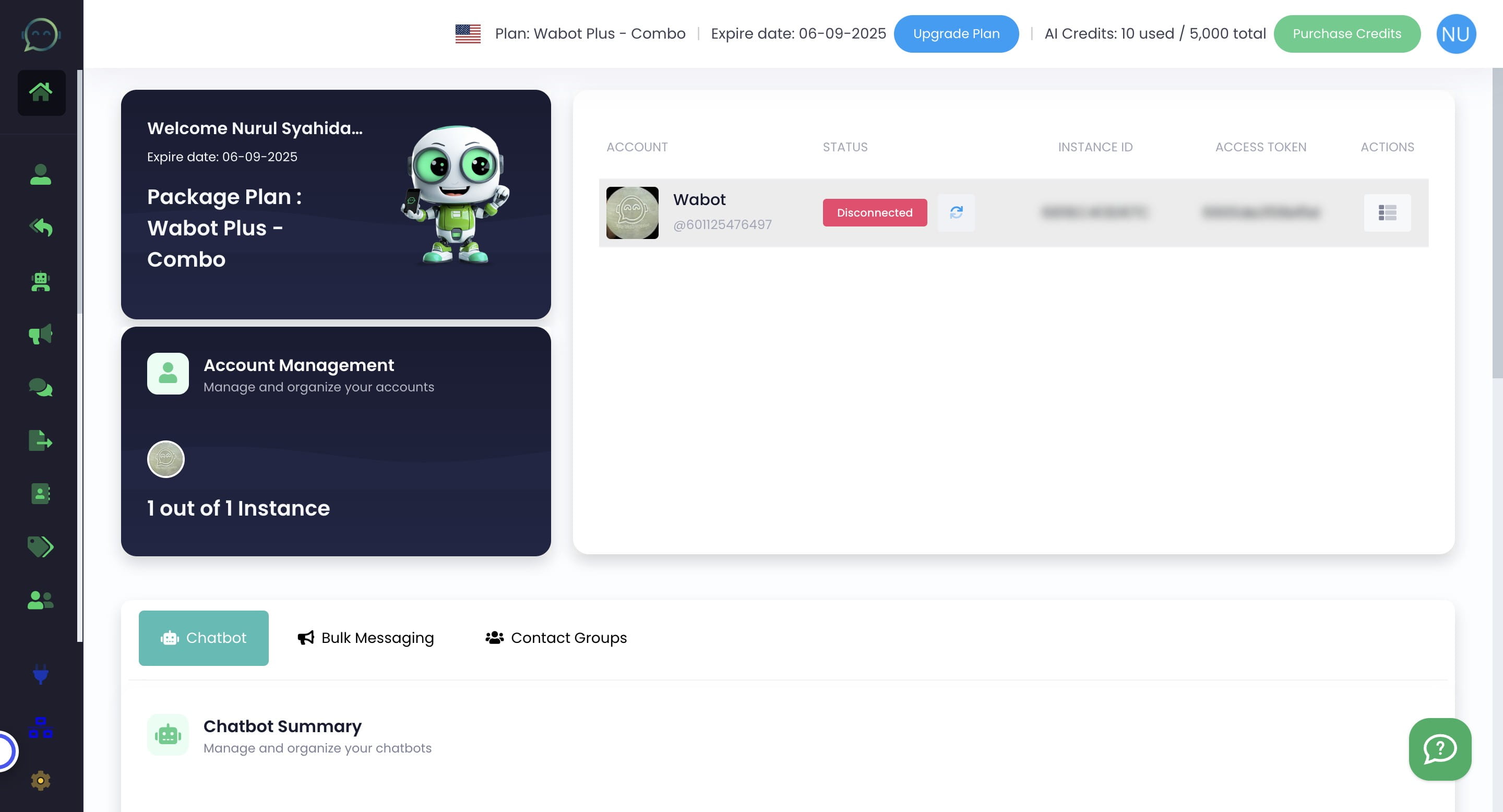
Click this icon

3
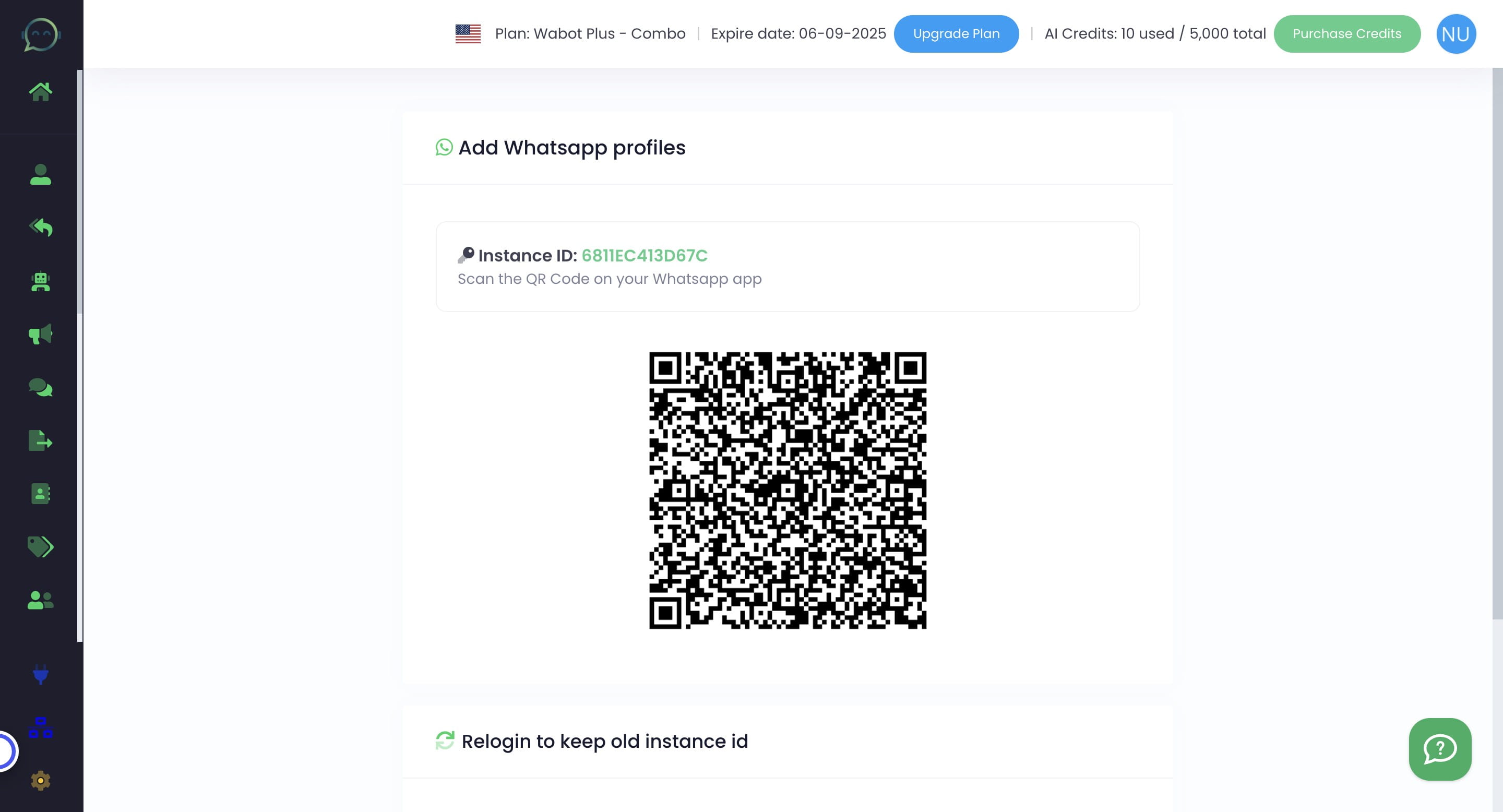
It will show you this QR Code. You need to scan it again using your WhatsApp
4
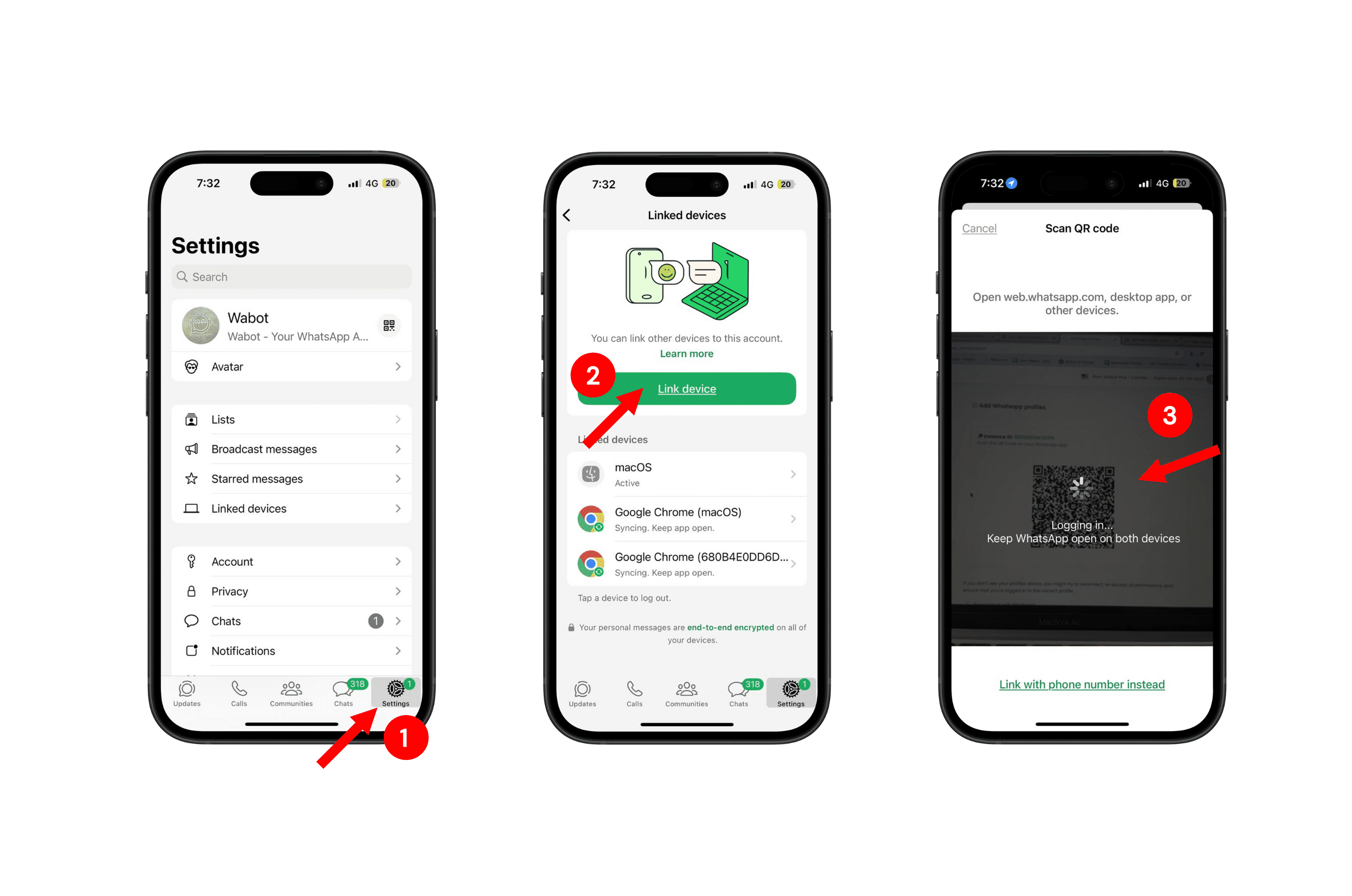
Open your WhatsApp and kindly follow the steps below to scan the QR code in Wabot
5
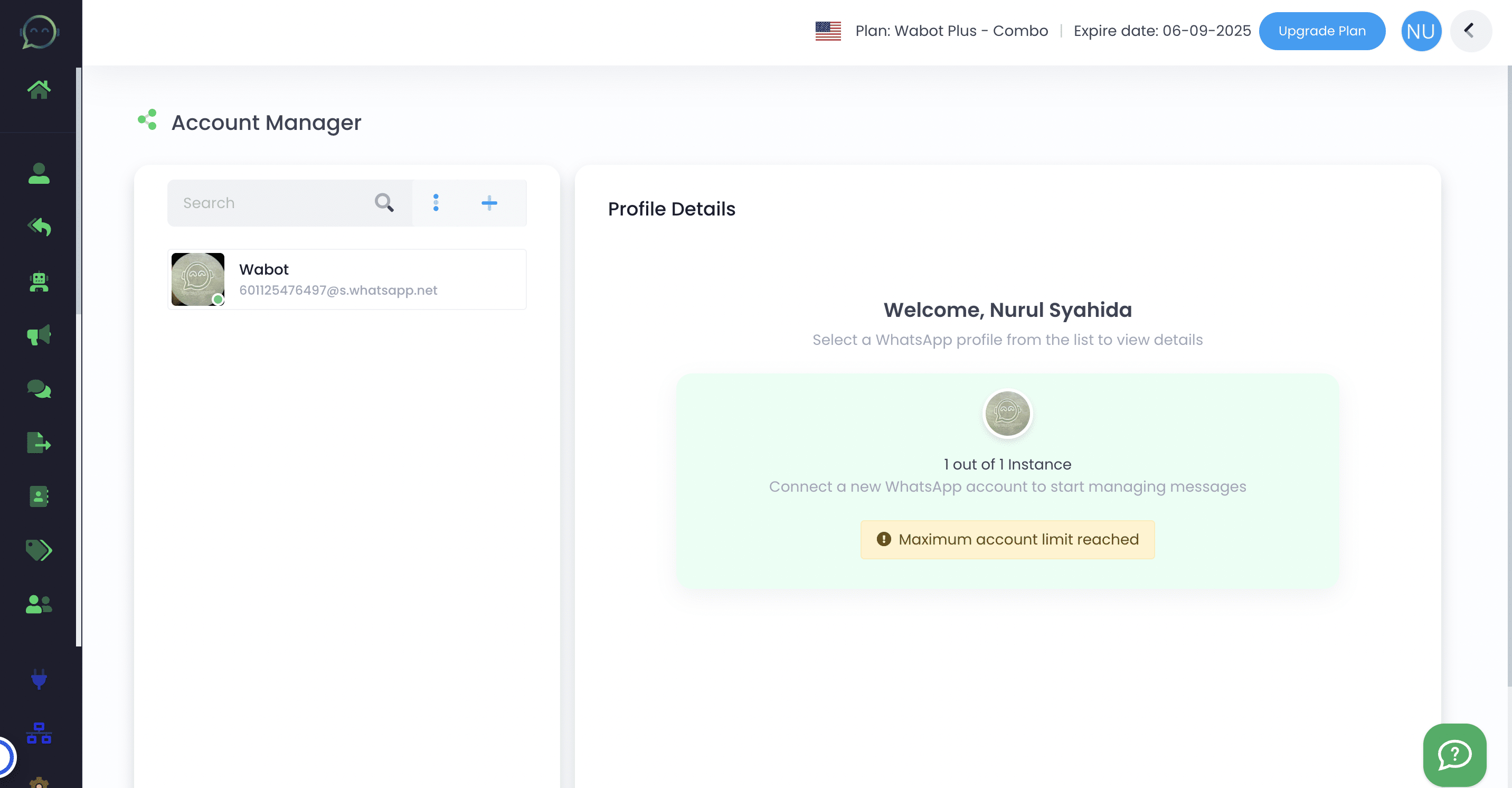
Right after scanning, your WhatsApp profile will appear here. Your number is already connected to Wabot and ready to be used