How to Fetch Information From Website
Jan 03, 2025●
1
Navigate to https://app.wabot.my/dashboard
2
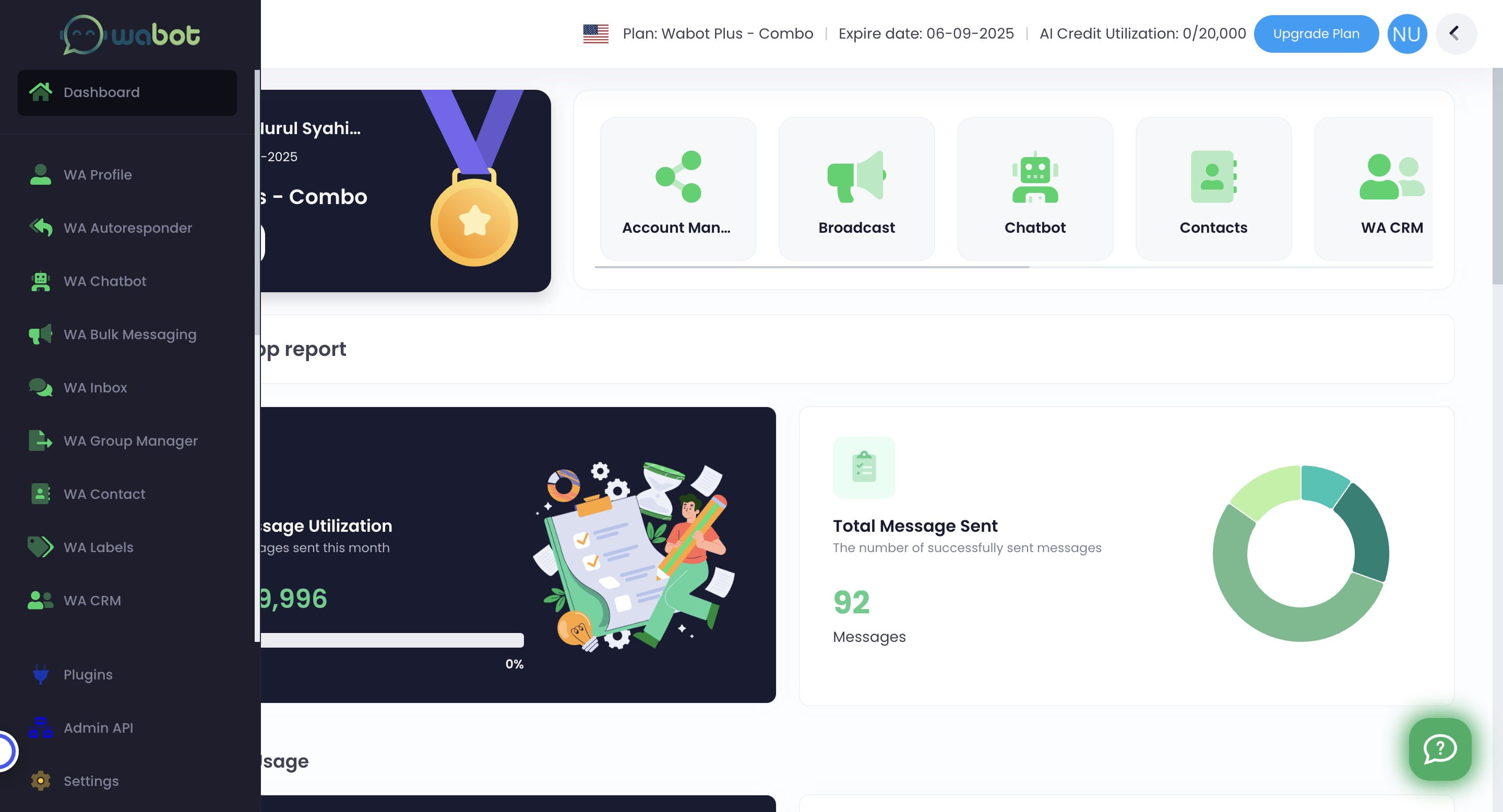
Click on "WA Chatbot"

3
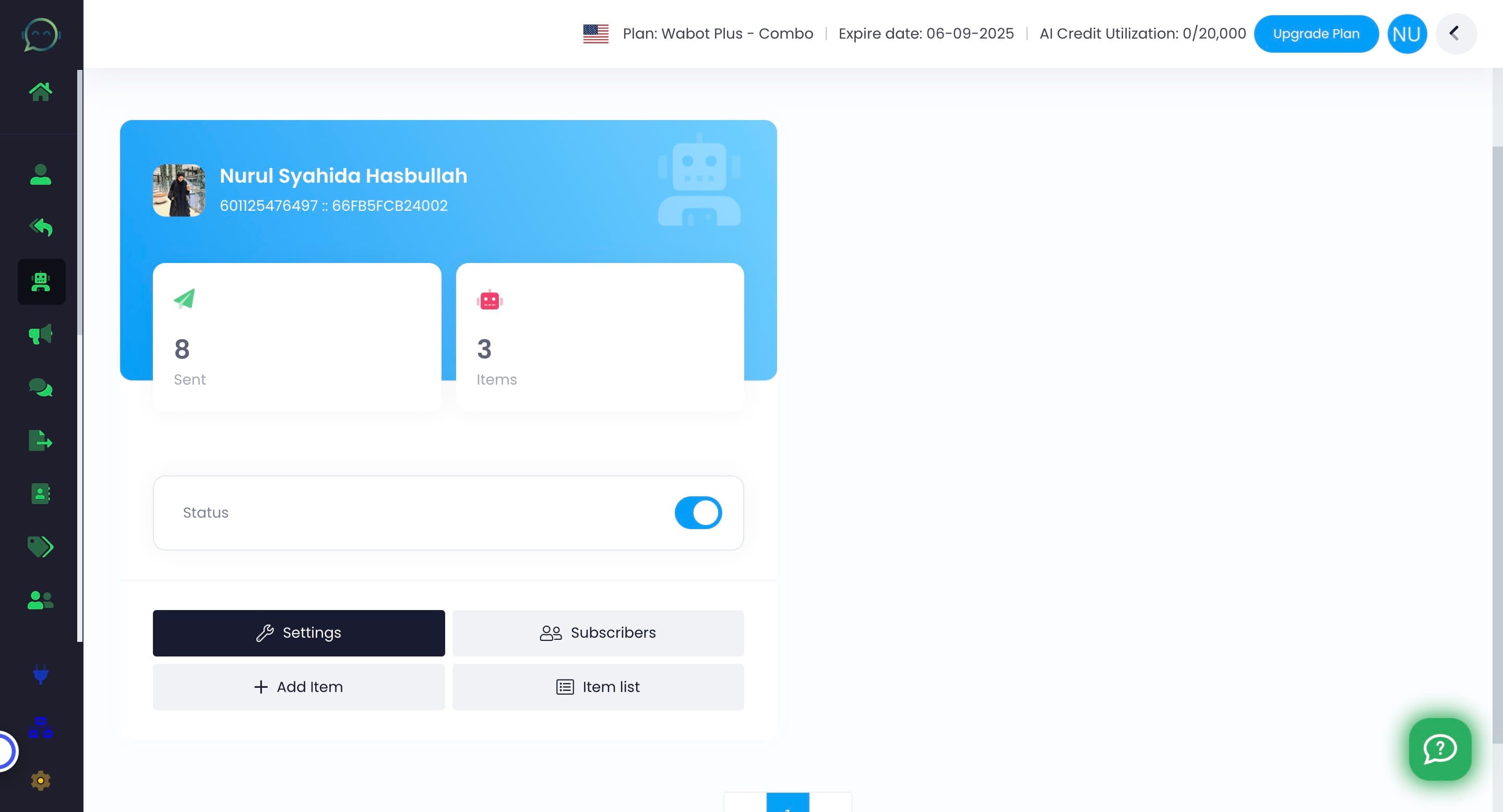
Click this icon
4
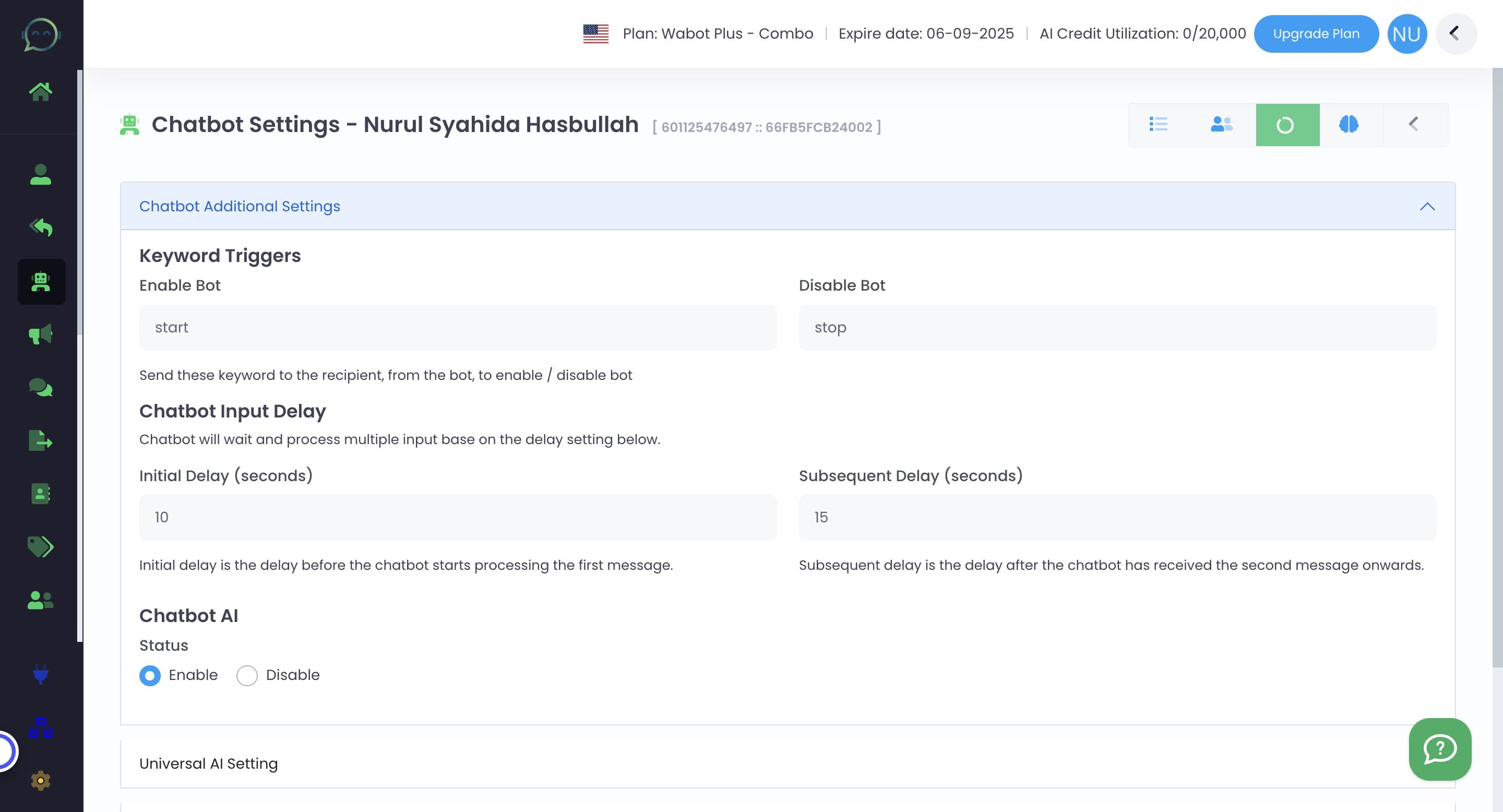
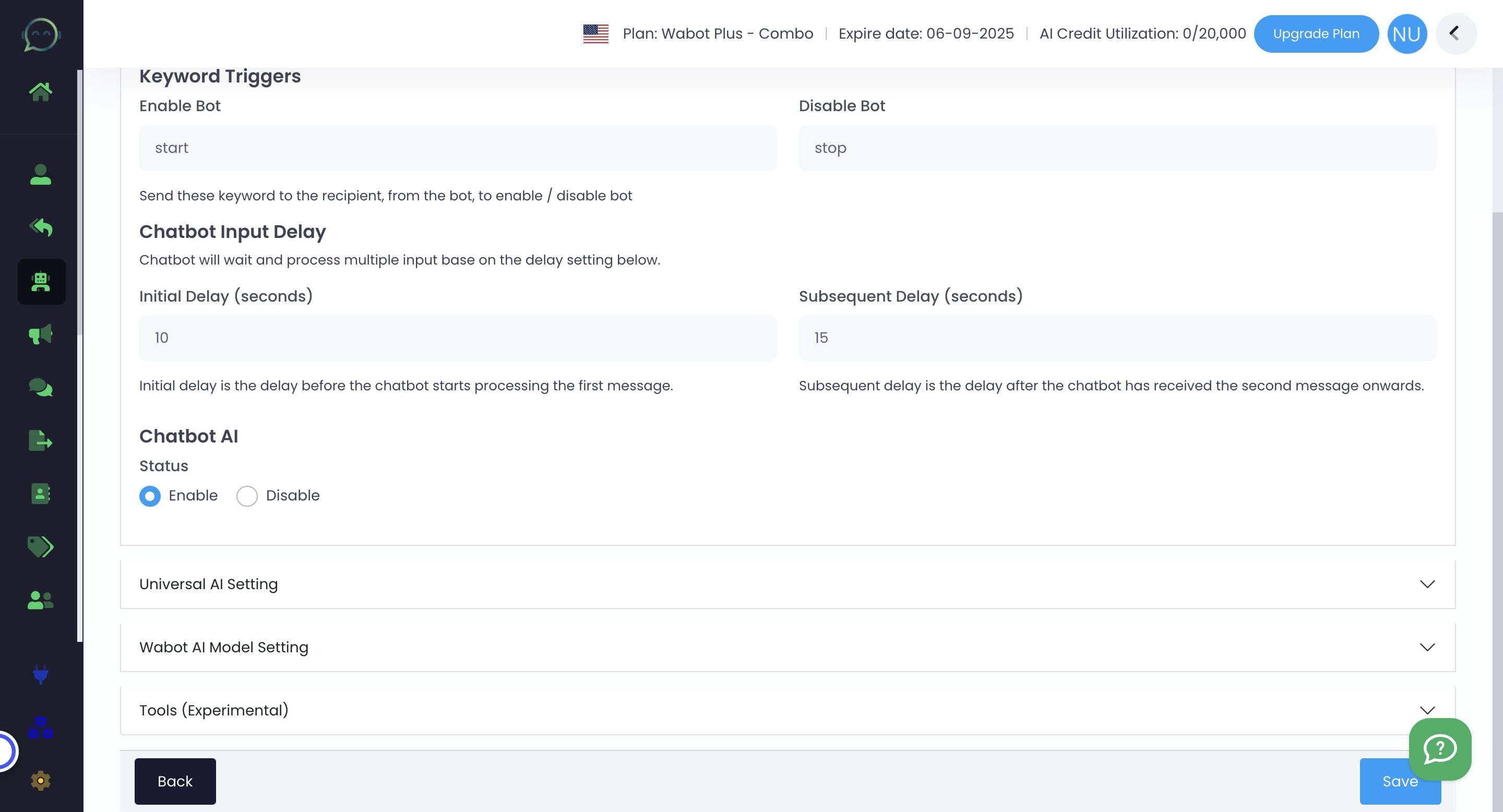
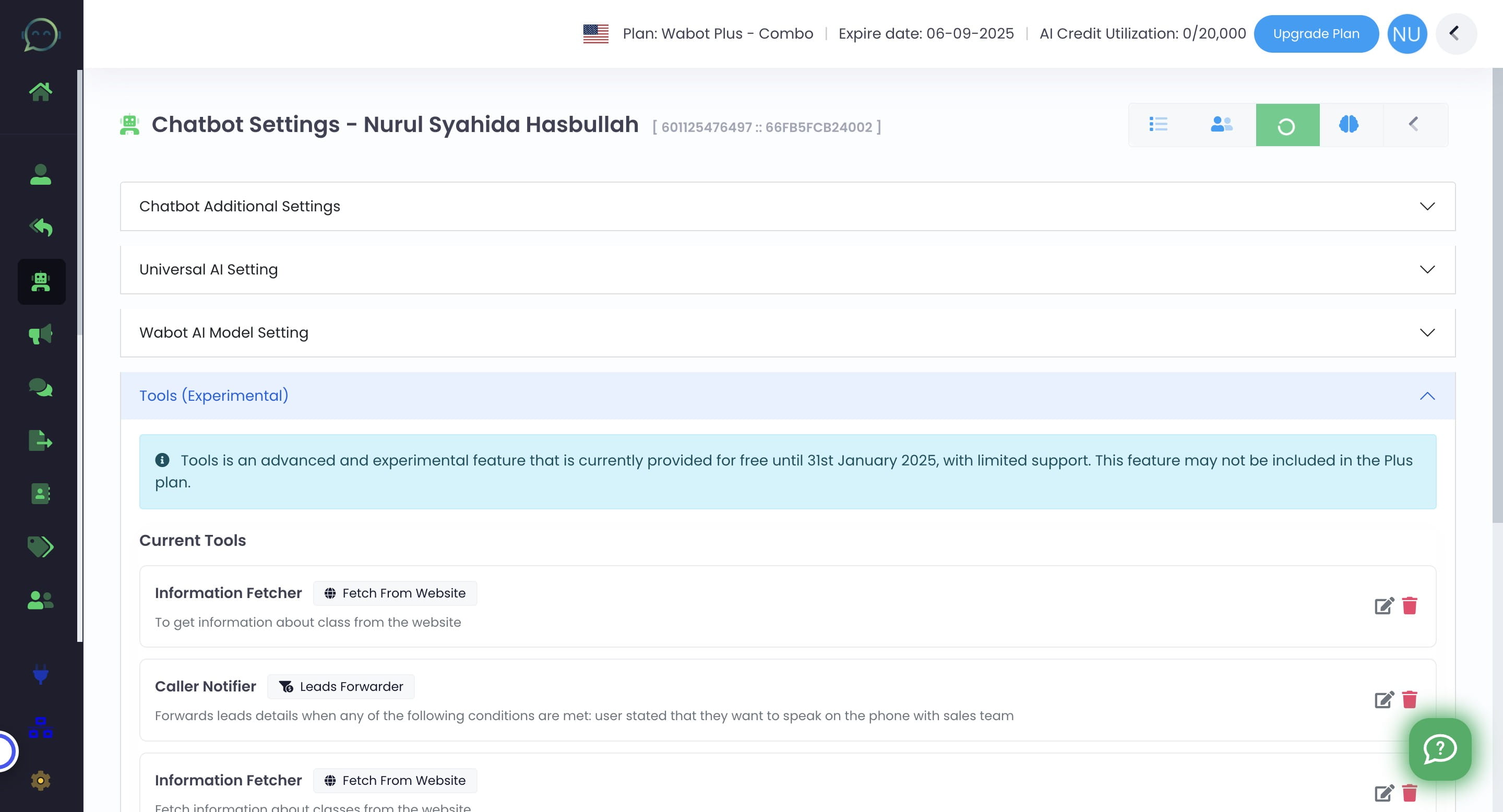
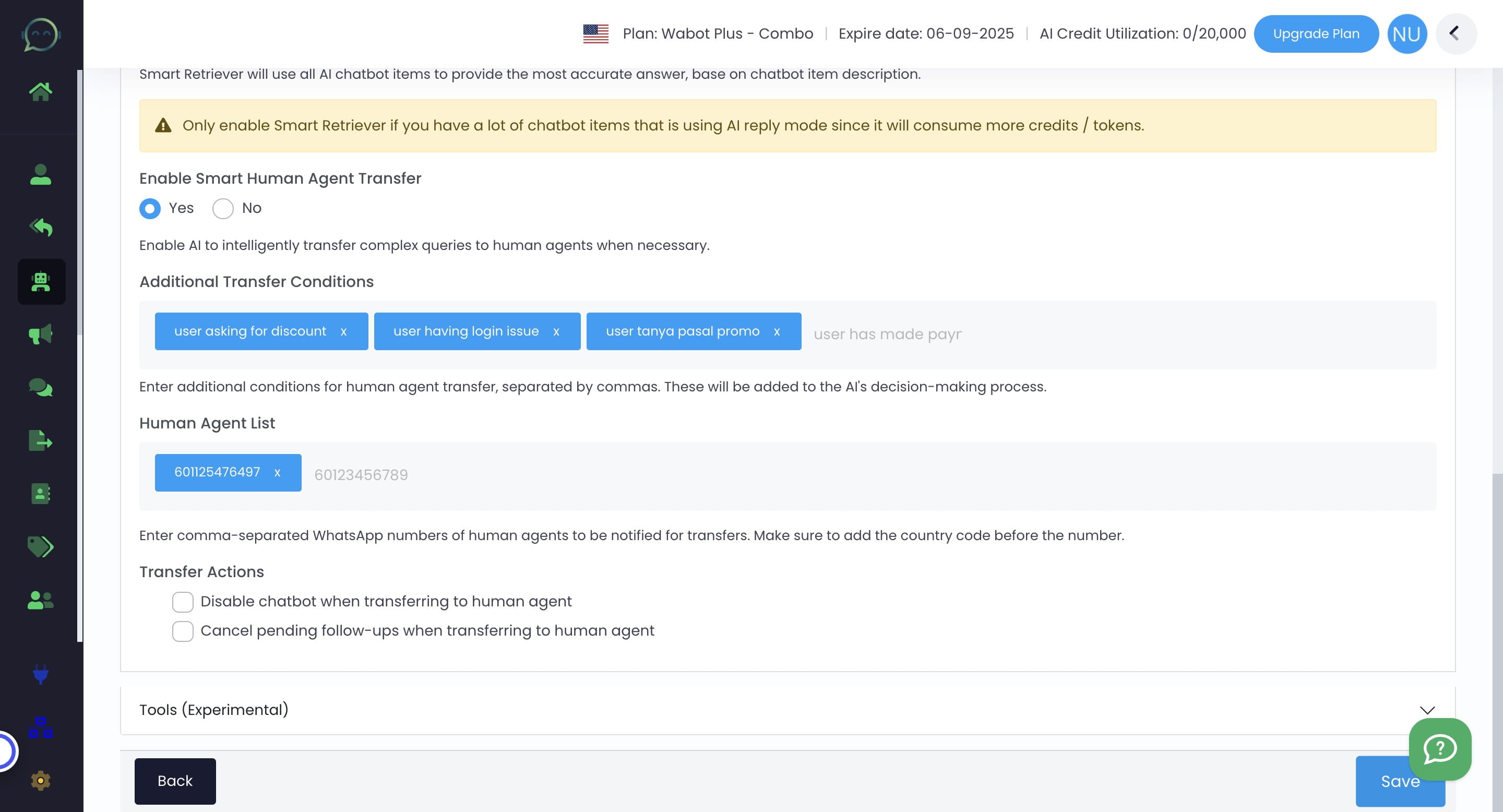
Click on "Tools (Experimental)"
5
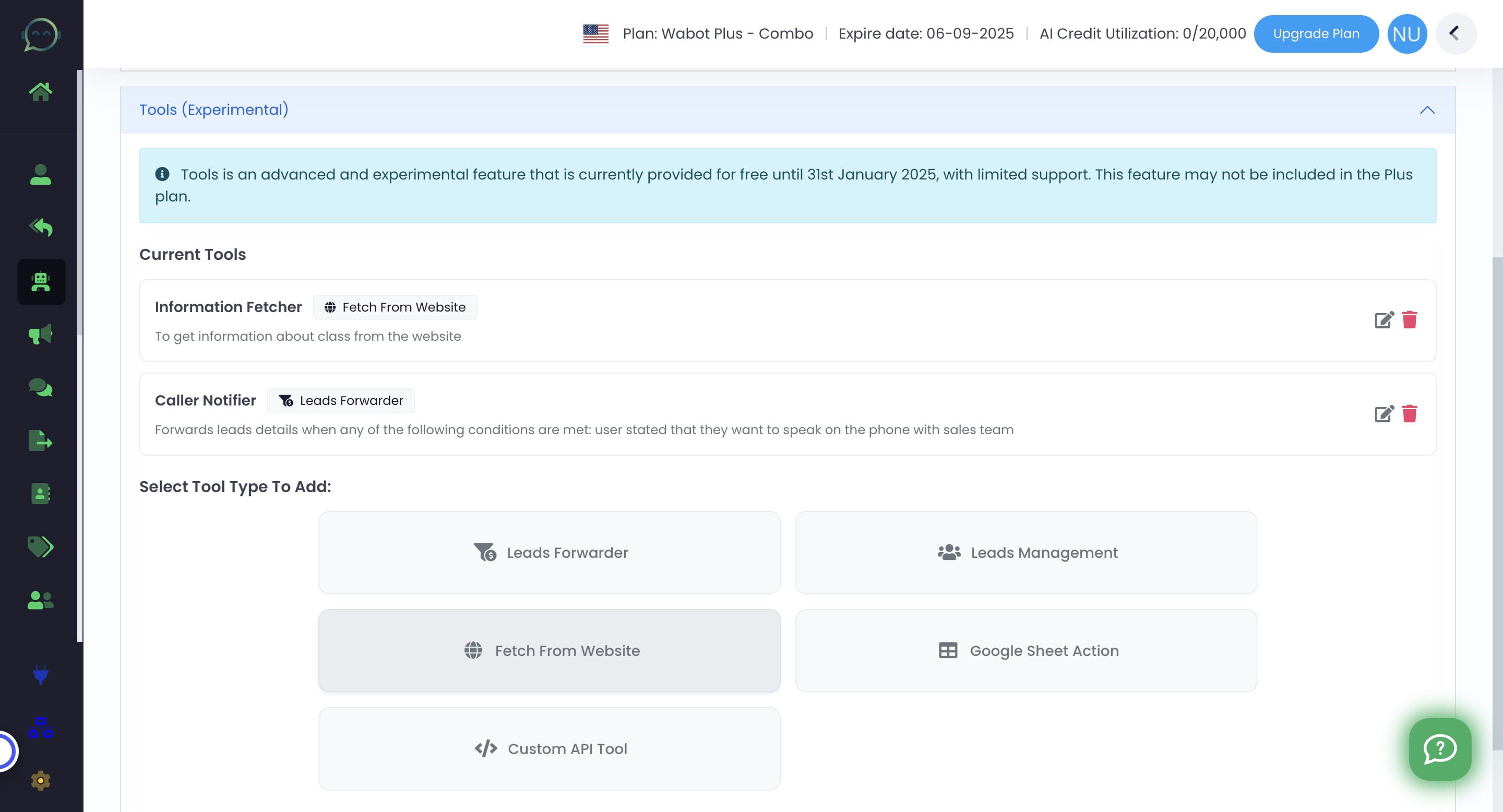
Click "Fetch From Website"
6
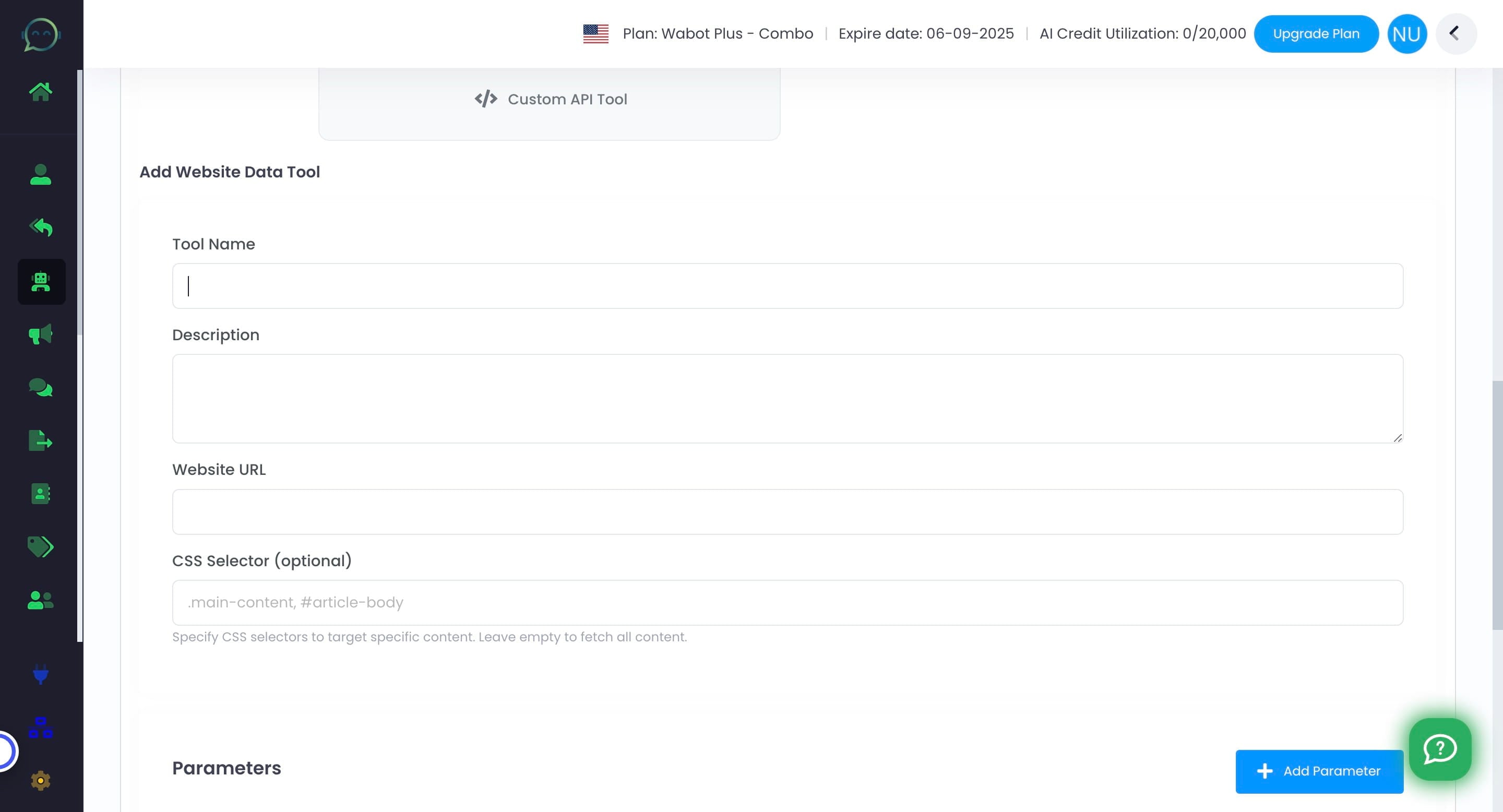
Name the tools depending on the purpose
7
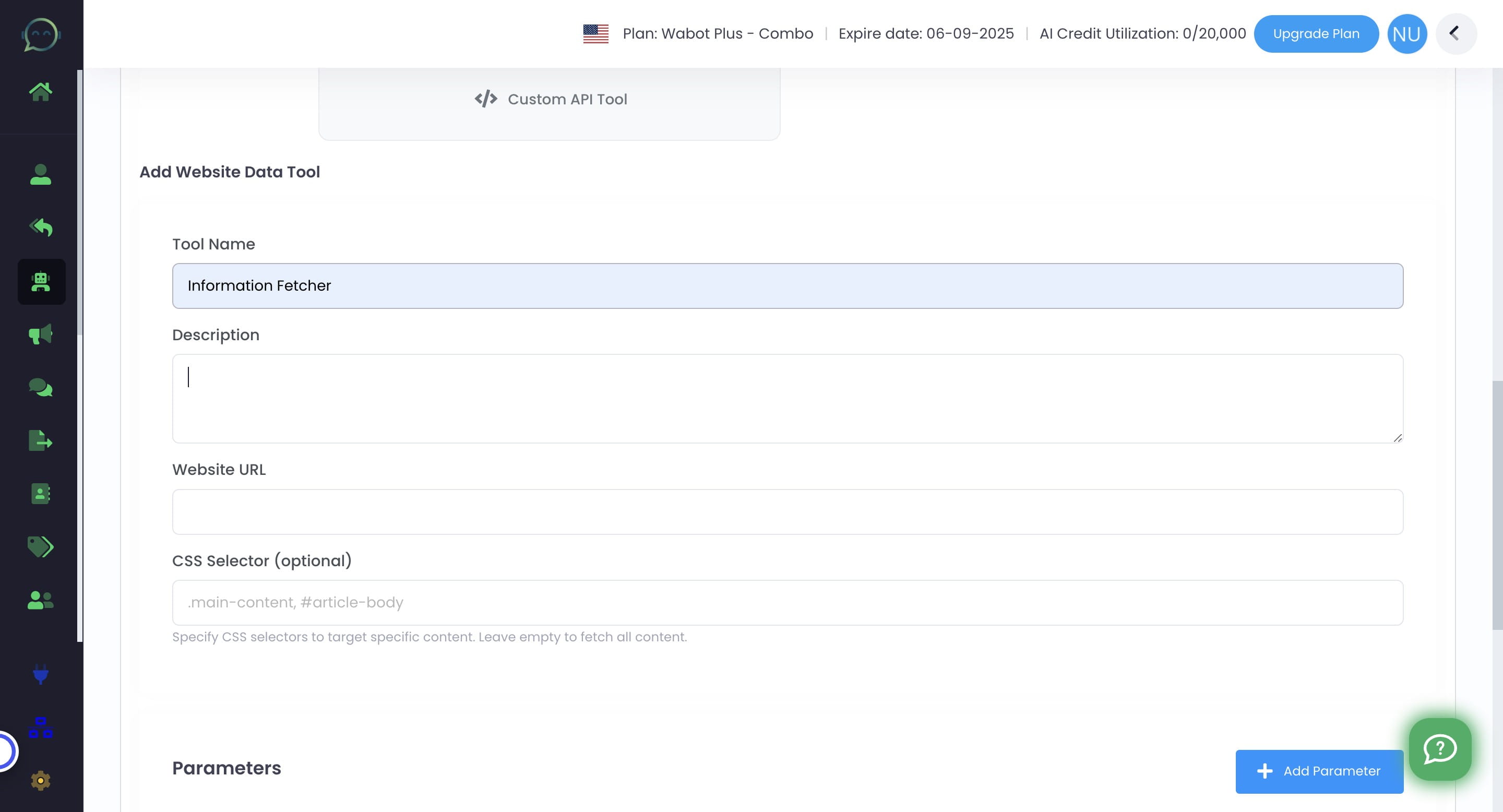
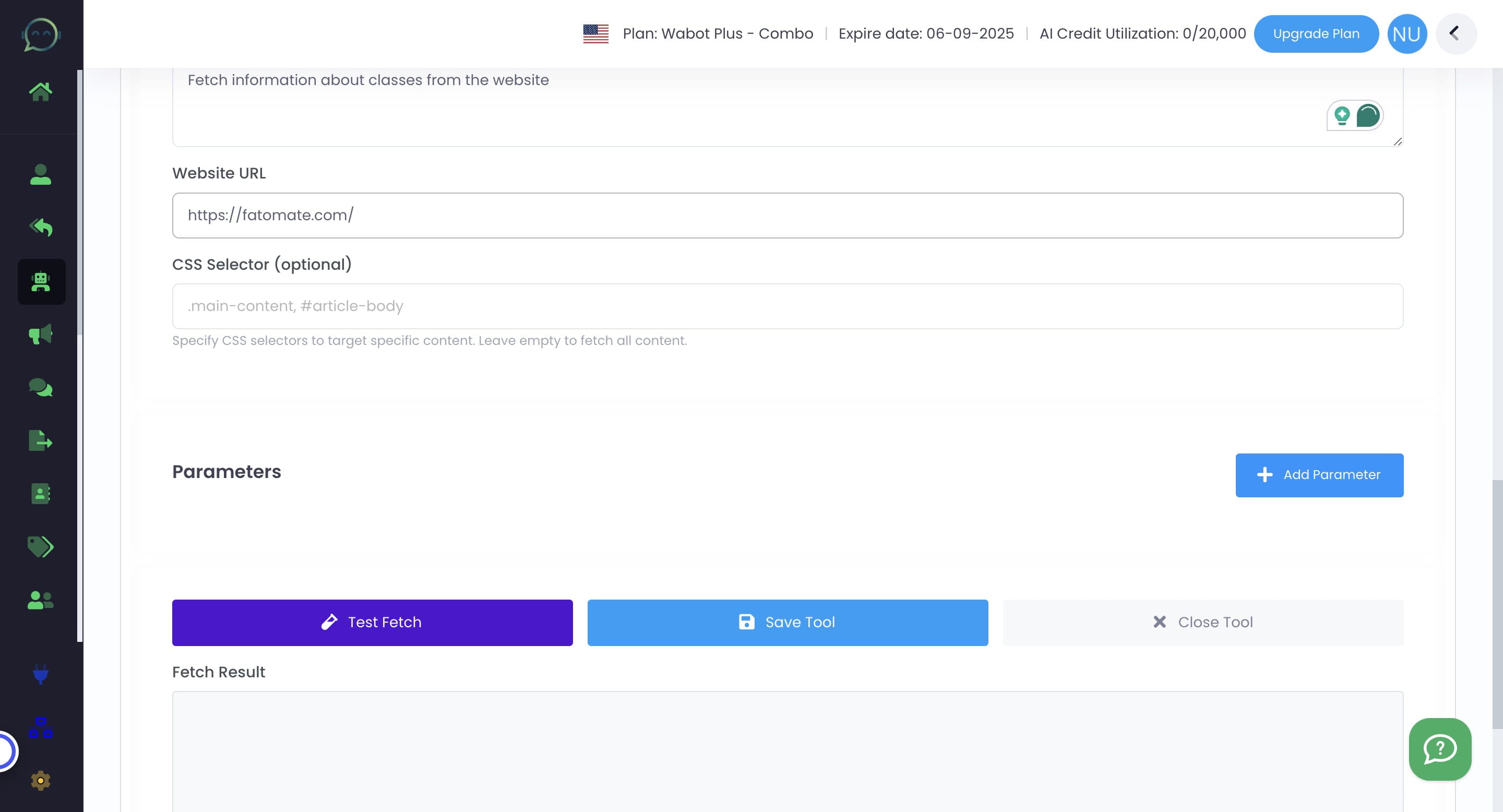
Insert the description or the information needed to be fetched
8
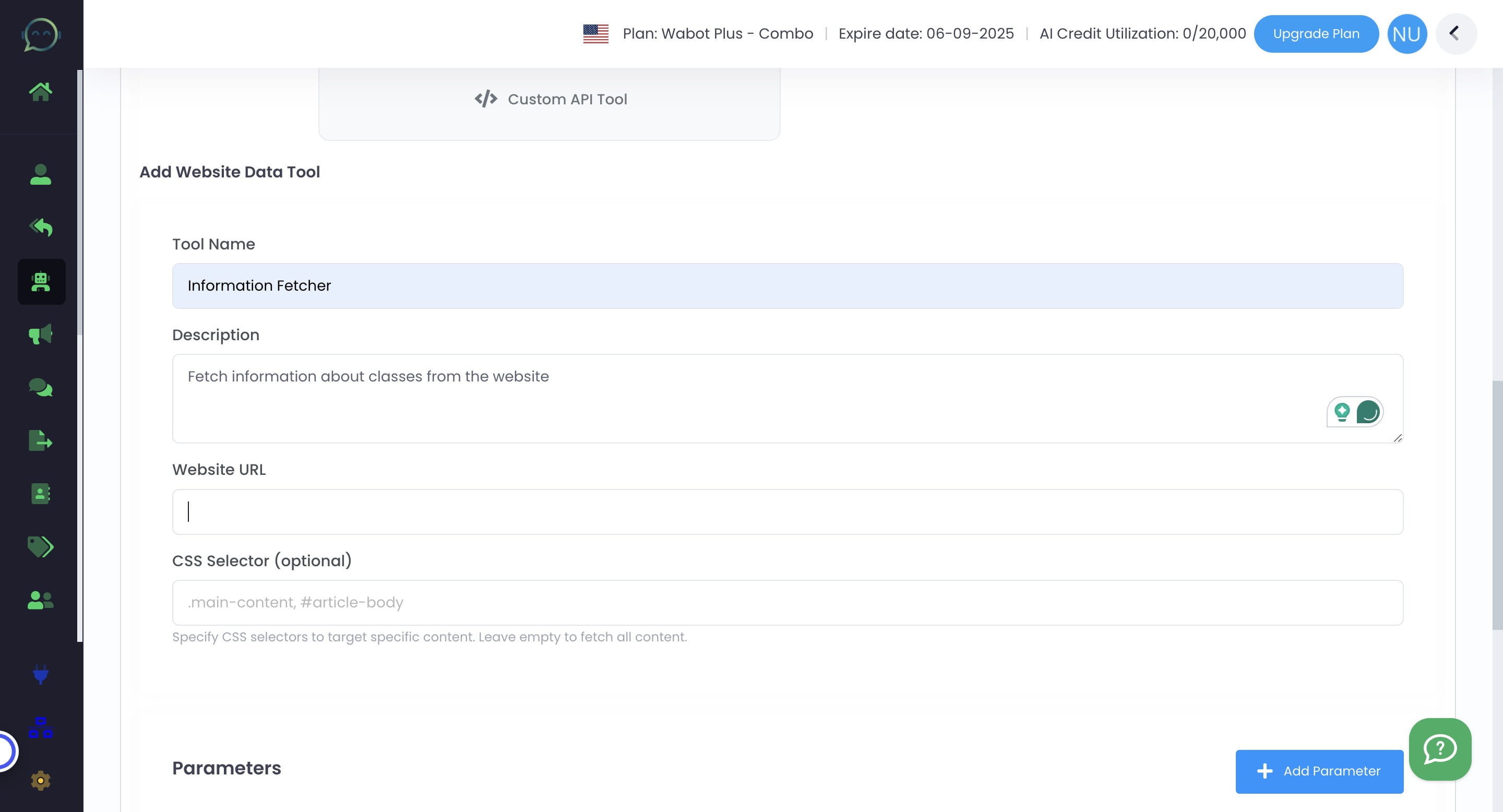
Insert the website URL
9
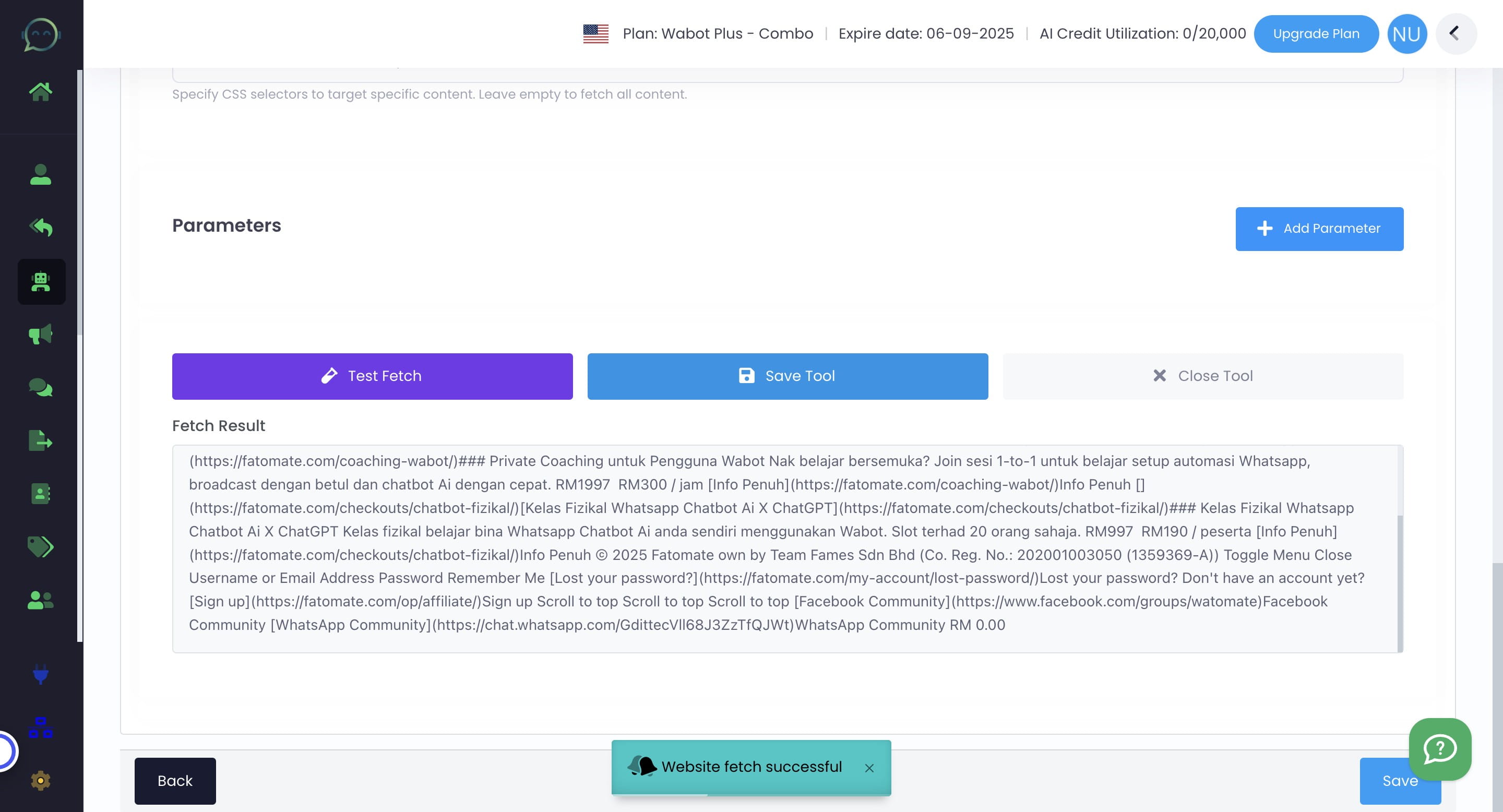
Test Fetch to make sure it retrieves the right information from the website provided
10
Then click on "Save Tool"
11
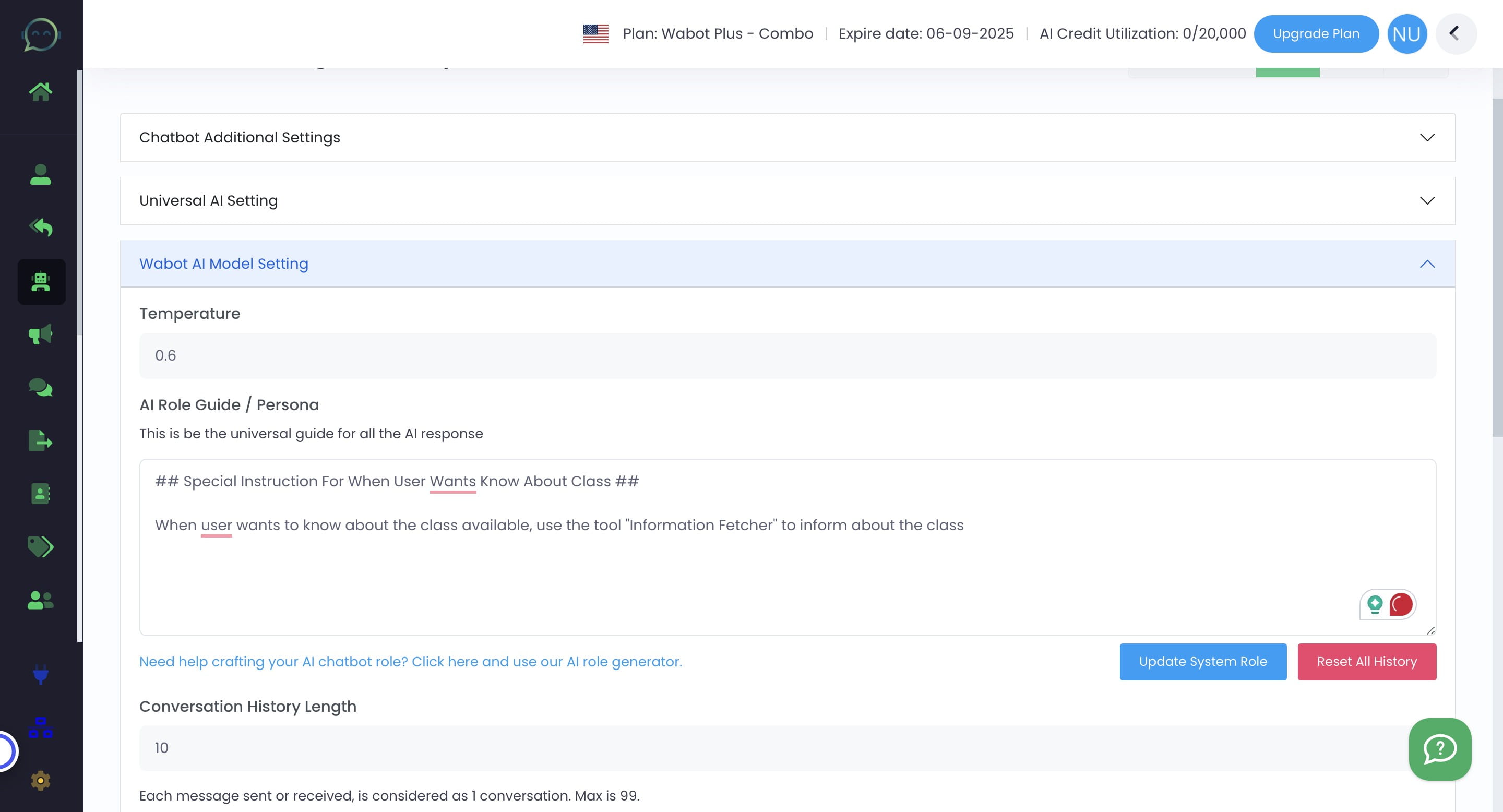
Don't forget to update prompt to give new instruction on using the tools. Click on "Wabot AI Model Setting"
12
Kindly refer to the example prompt below
13
Click on "Update System Role" to make sure AI running on the latest prompt given
14
Click on "Save"
15
Done 🚀