

How To Create Wabot Referral Link
Jun 23, 2025●
1
Navigate to https://fatomate.com and login. If you do not remember the password, kindly contact our support team here
2
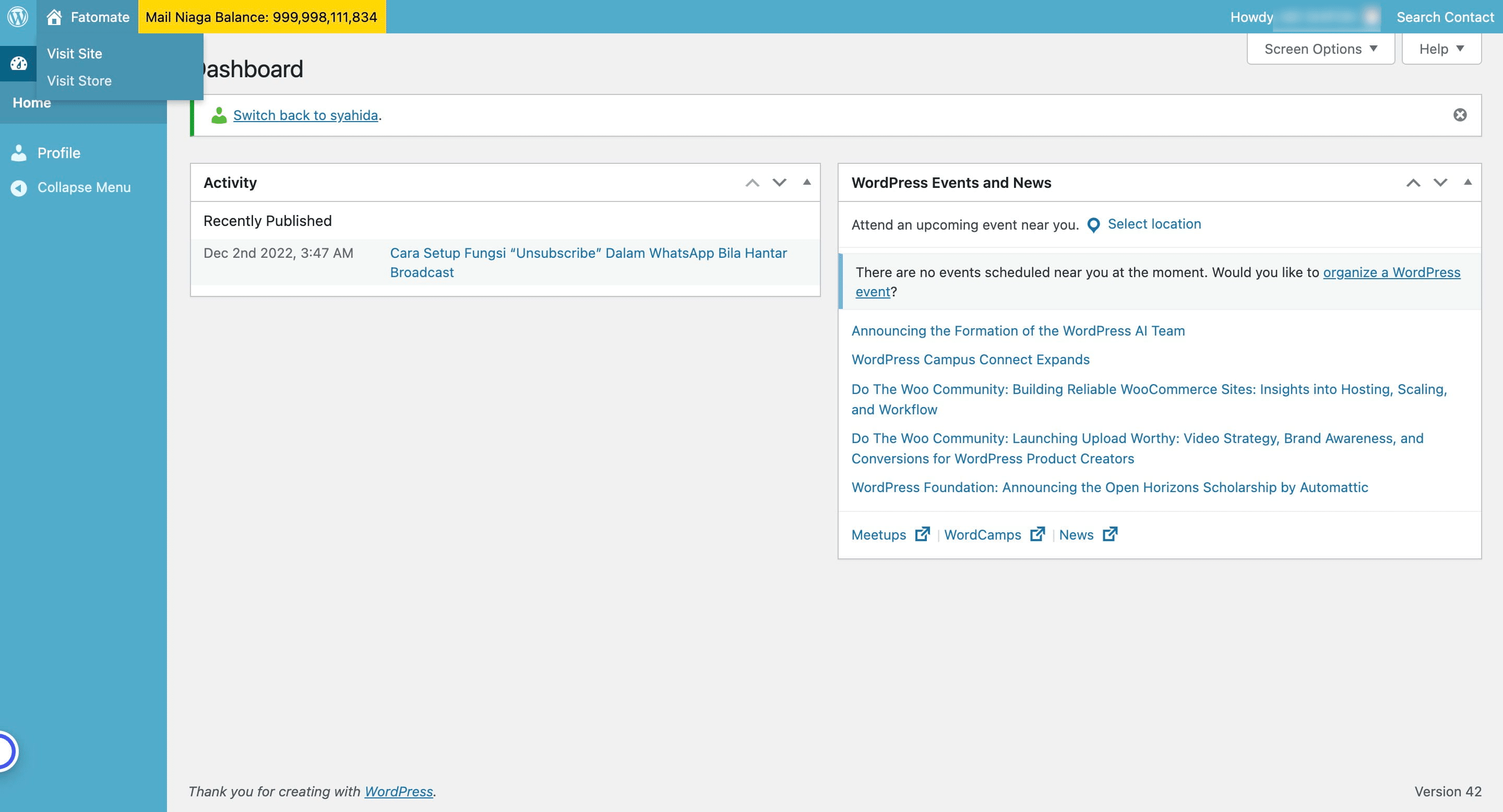
Click on "Visit Site"

3
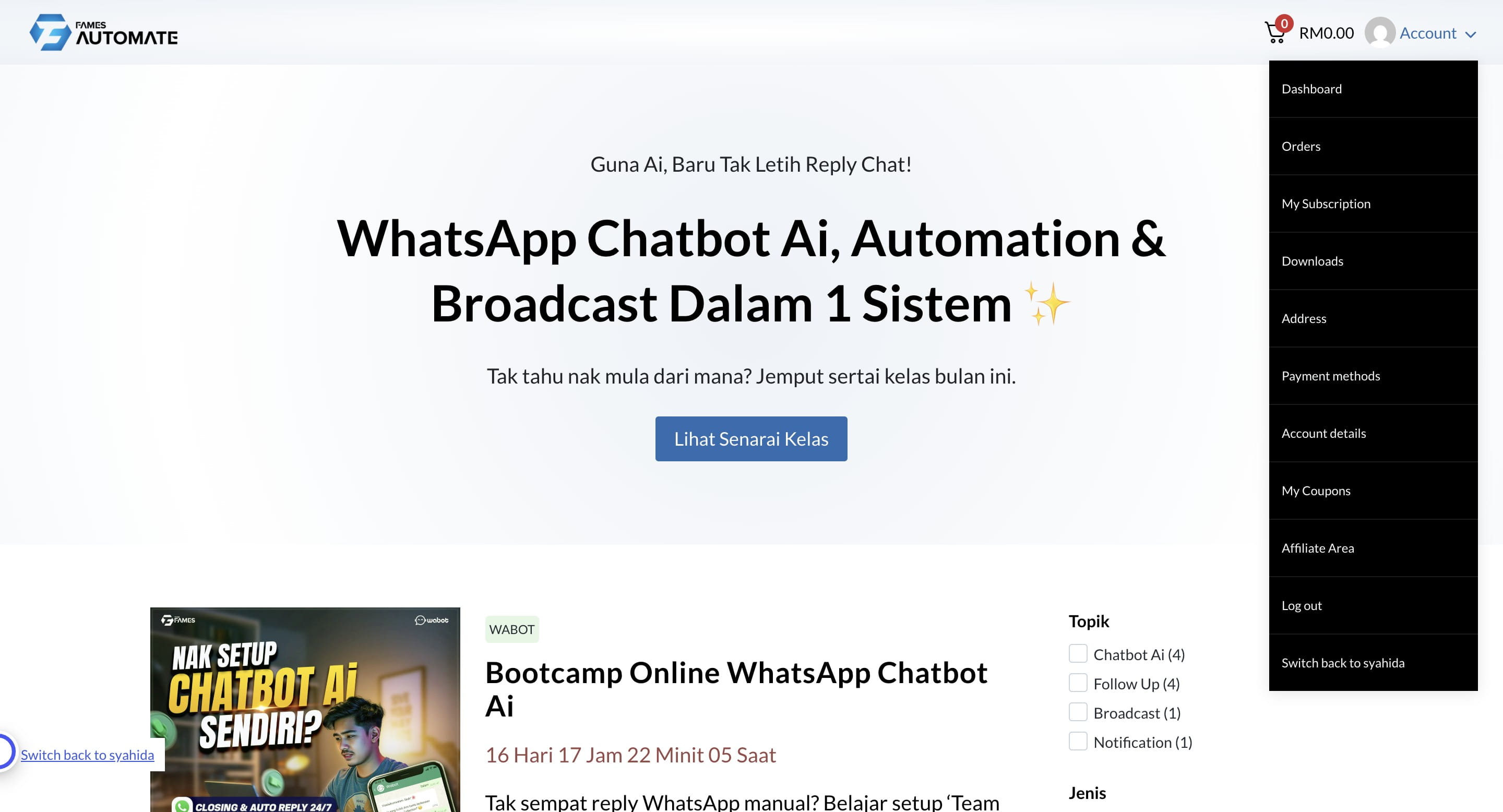
It will redirect you to this page. Click on "Account"
4
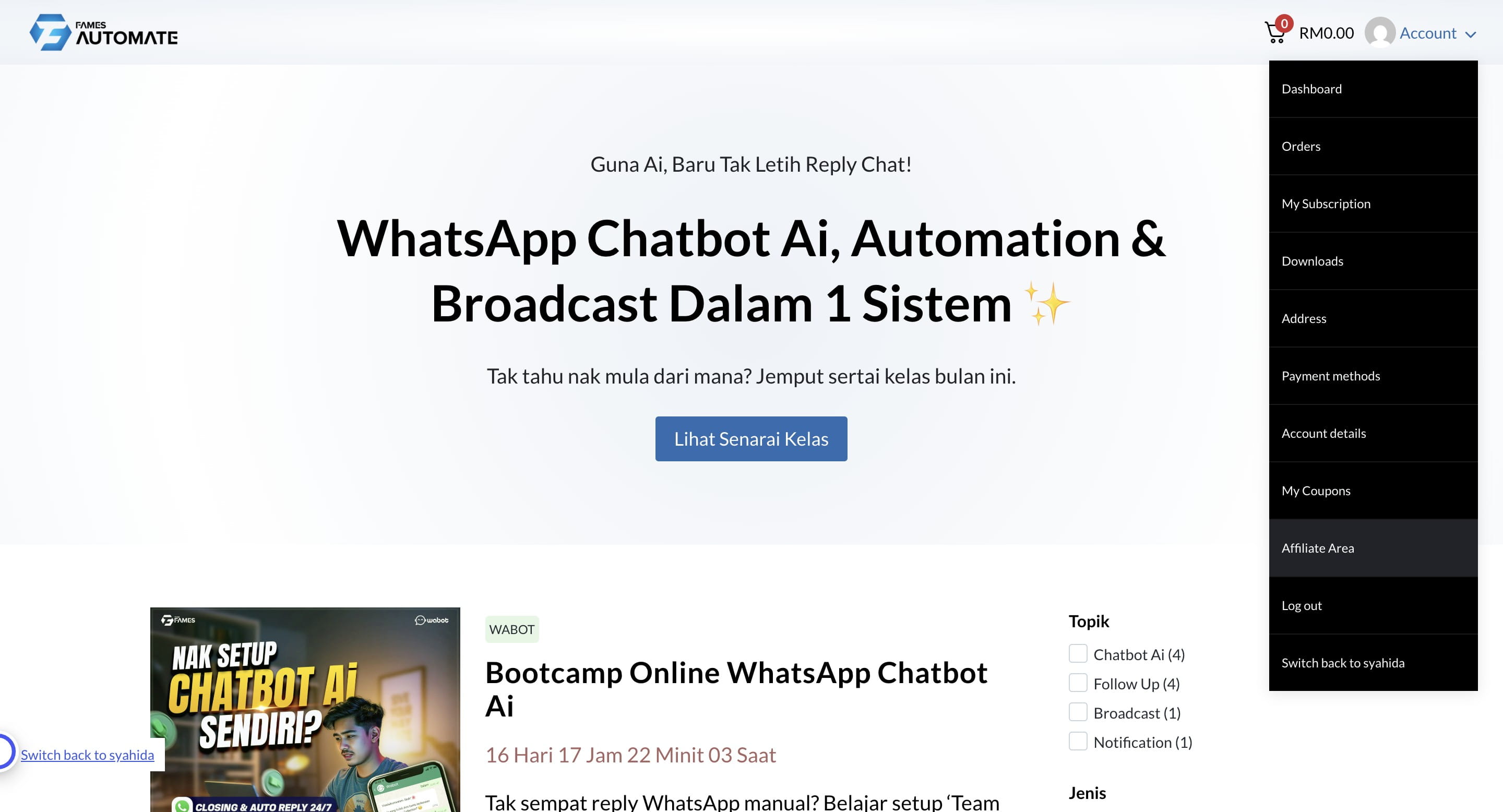
Click on "Affiliate Area"
5
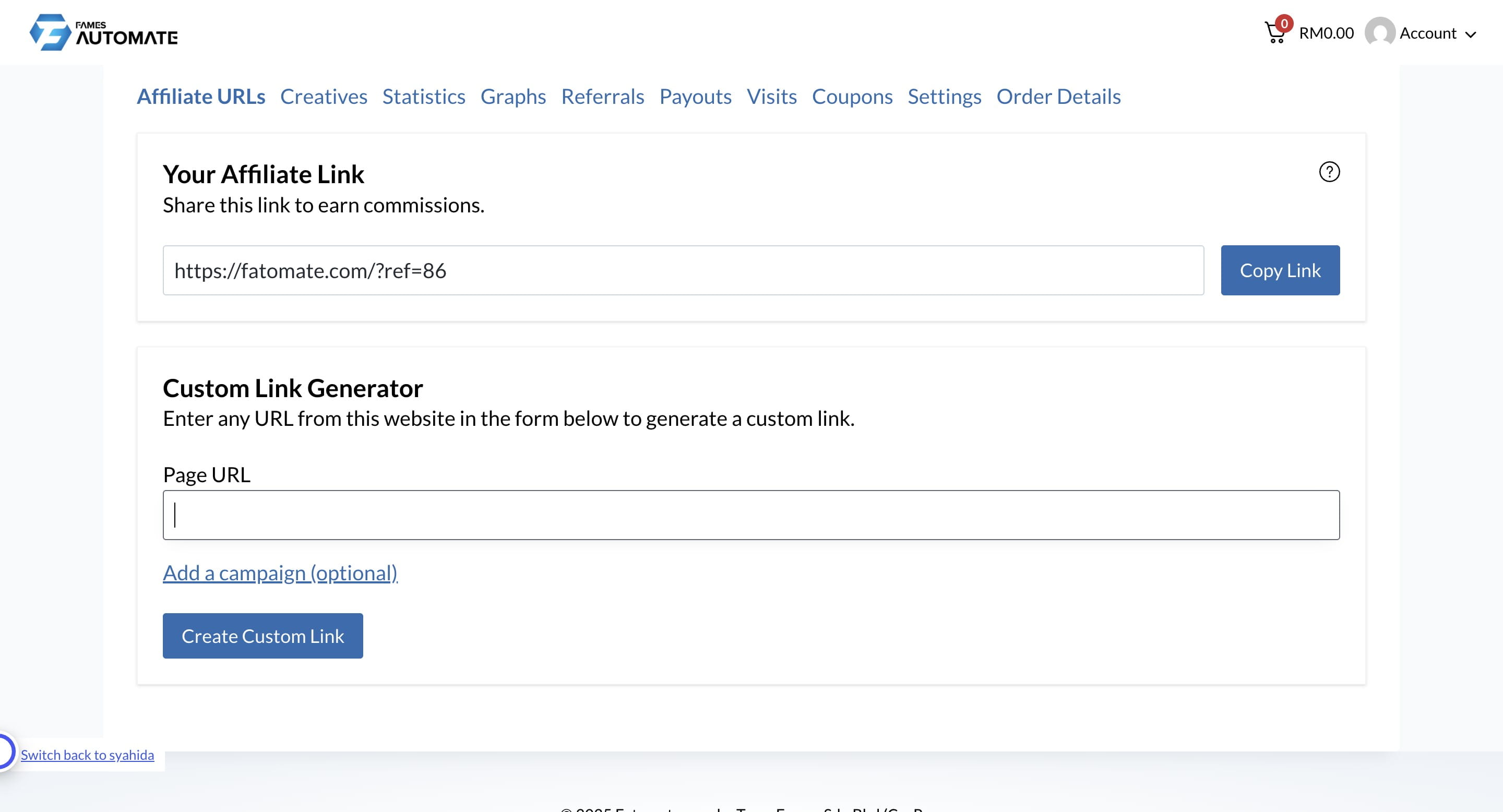
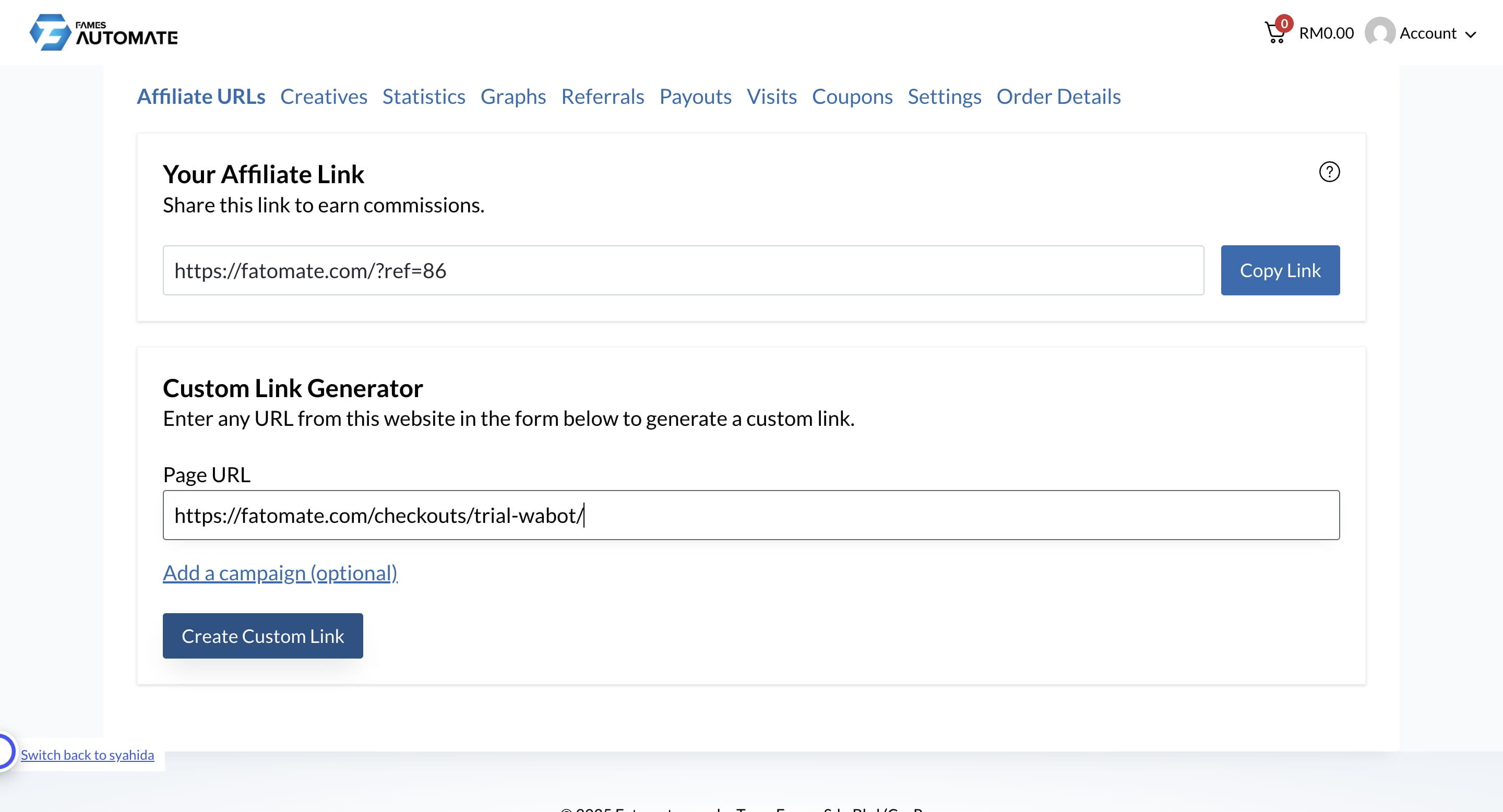
Click here and paste https://fatomate.com/checkouts/trial-wabot/ to generate your unique link for referral
6
Click "Create Custom Link"
7
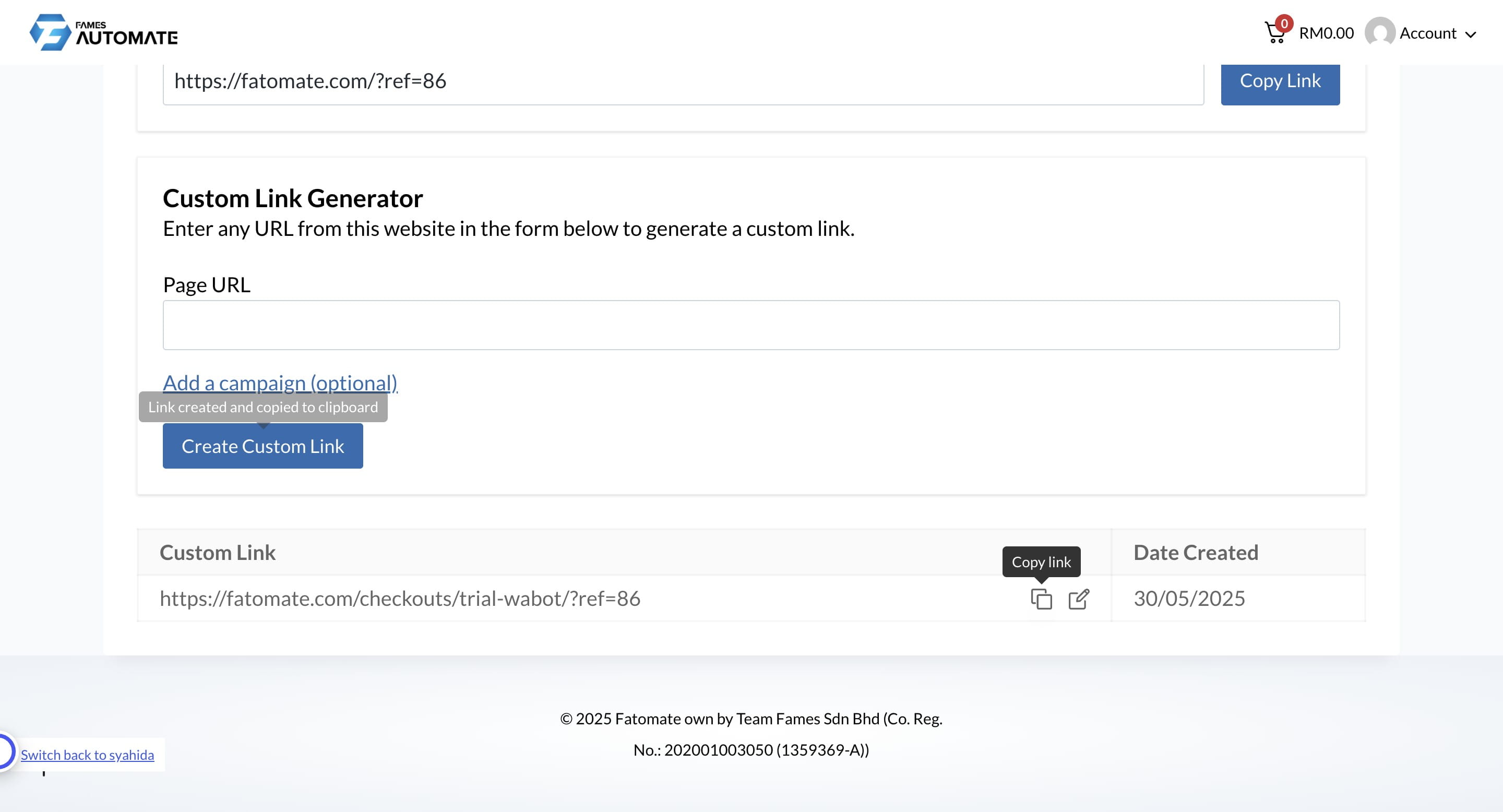
Click this icon to copy the link
8
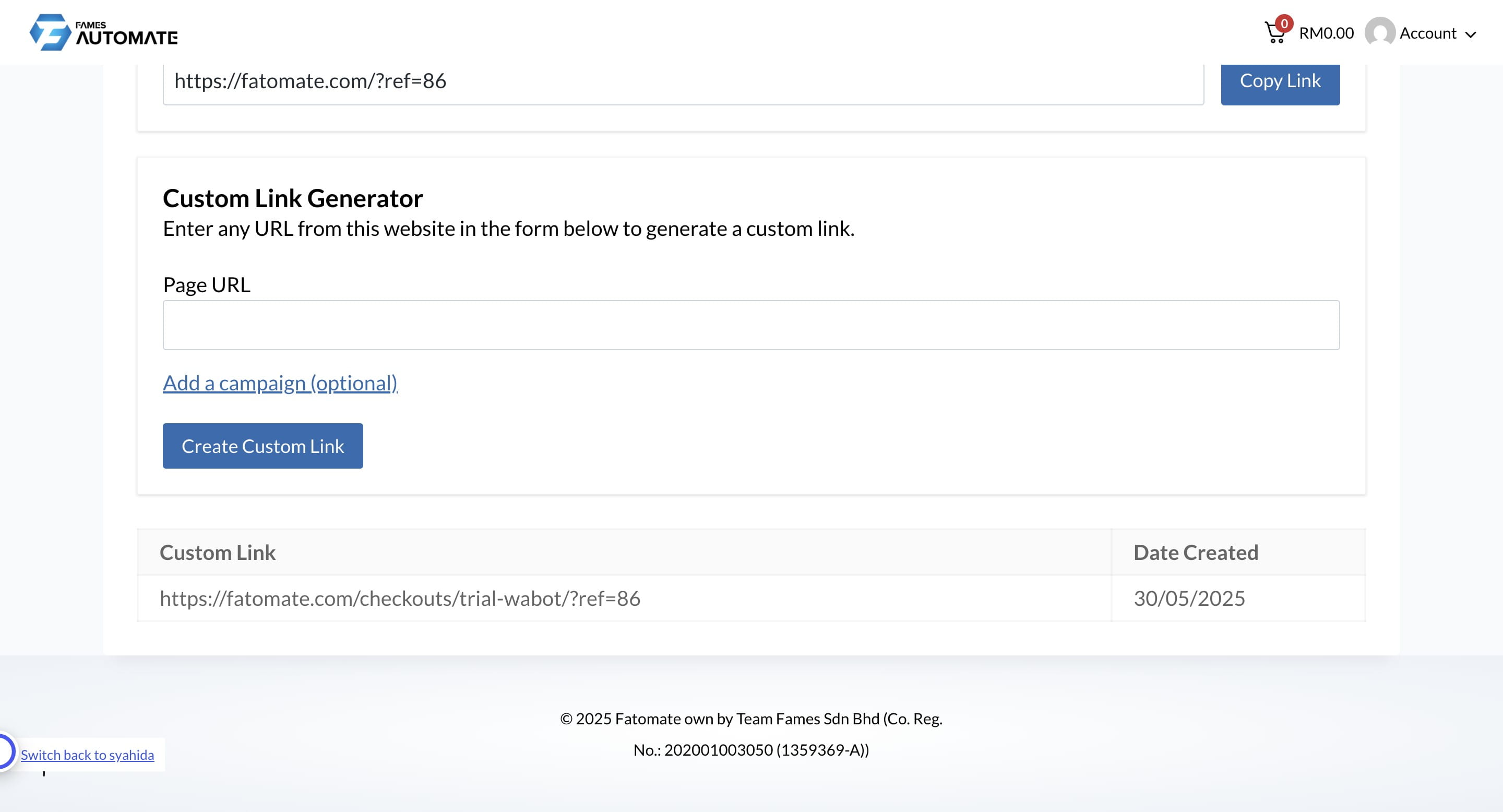
Kindly give it to your prospect and you are done 🚀
Make sure to inform our support team if you didn't receive any commission from your customer's purchase
Frequently Asked Questions
- 1. When is the affiliate payout made?
Usually in the second week of each month.
- 2. Is there a minimum payout for affiliates?
Yes. The minimum payout is RM100. This means payouts will only be processed once your accumulated commission reaches RM100 or more.