How to Check Your Credit AI Usage (Wabot Key)
This guide is for users with Wabot AI Key only, intended solely to track the usage of the chatbot AI credit
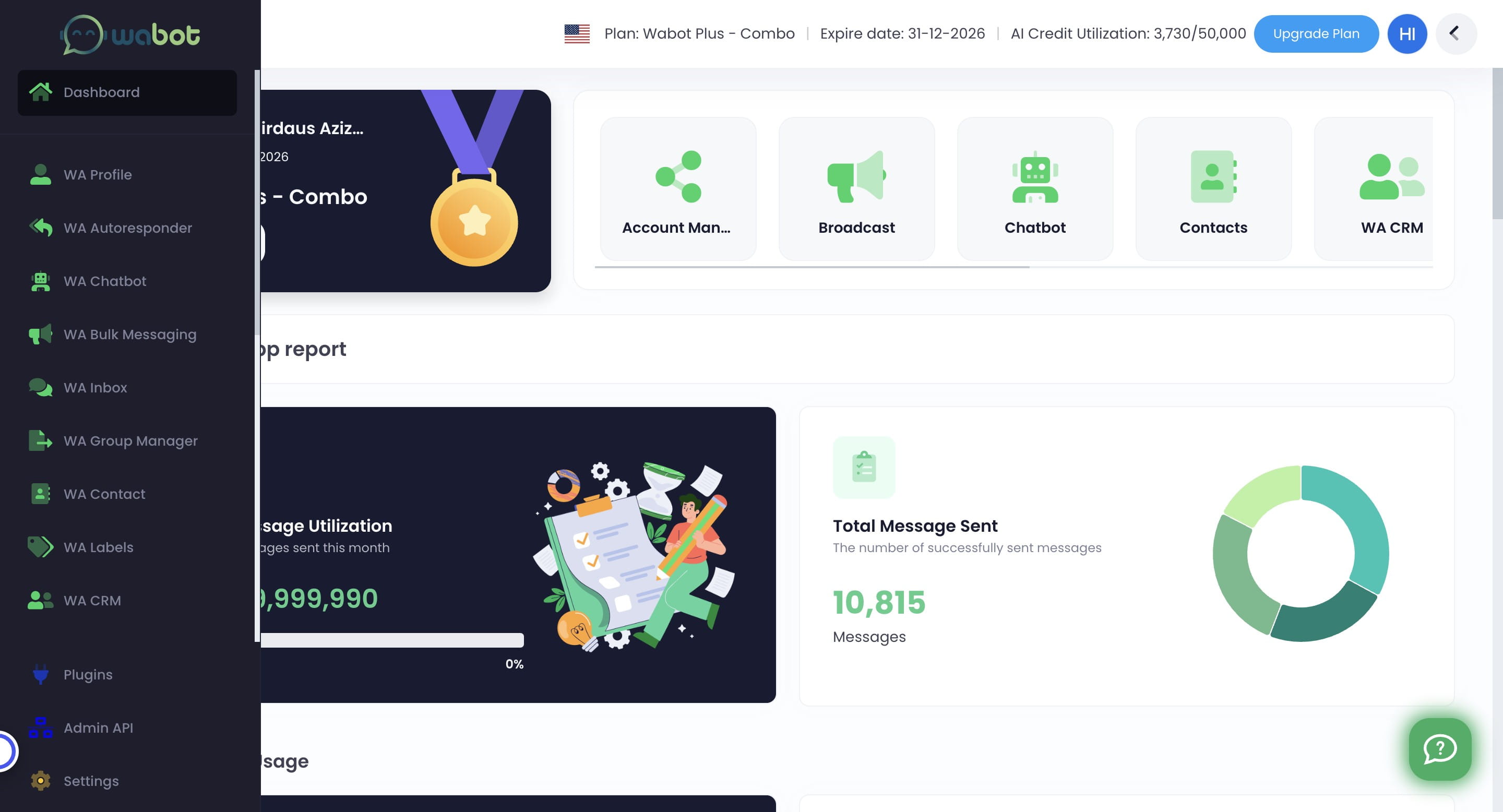
Navigate to https://app.wabot.my/dashboard
Click on "Dashboard"

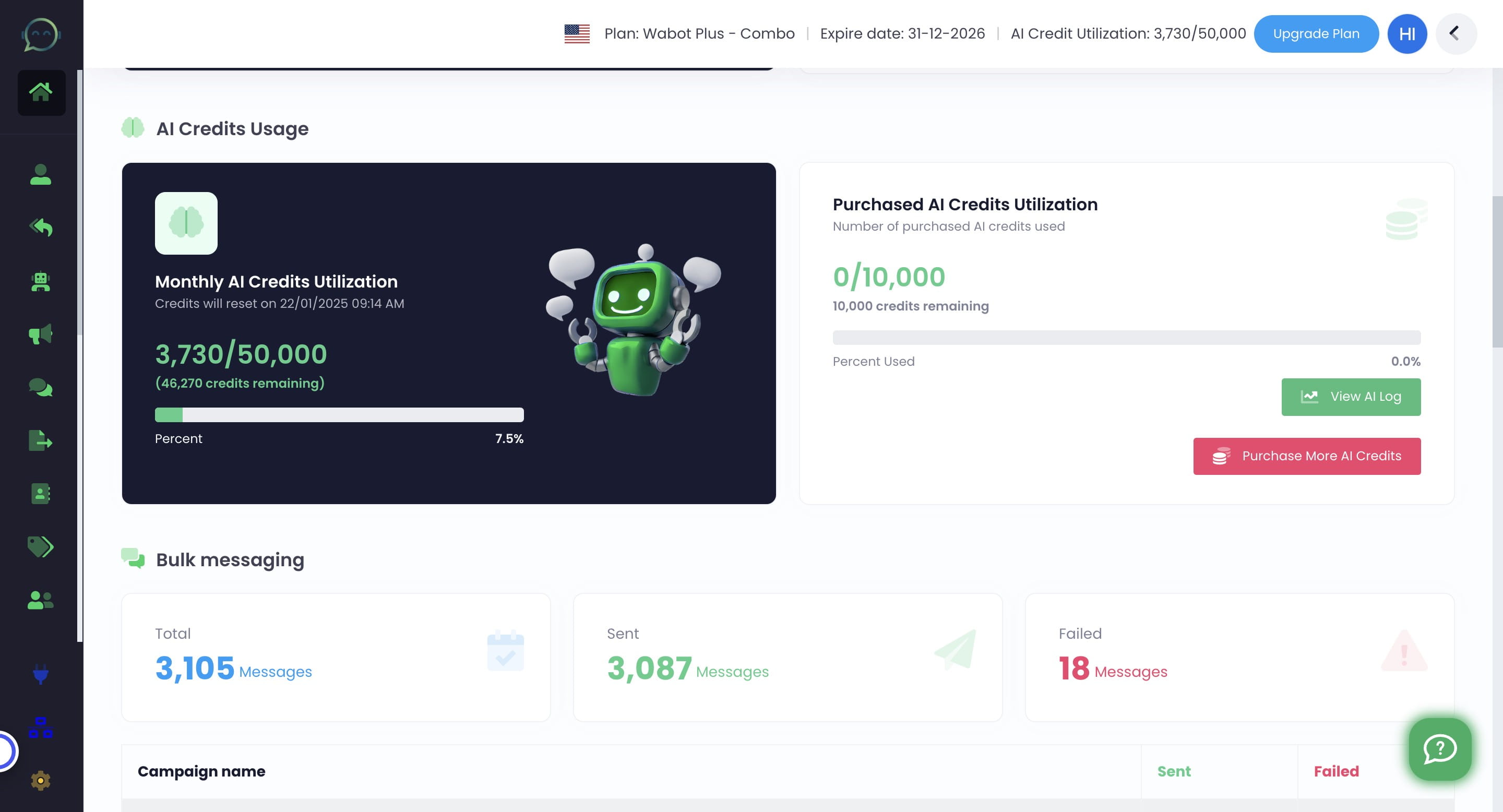
Click "View AI Log"
In case of multiple instances, you can search which number that you want to see the usage here
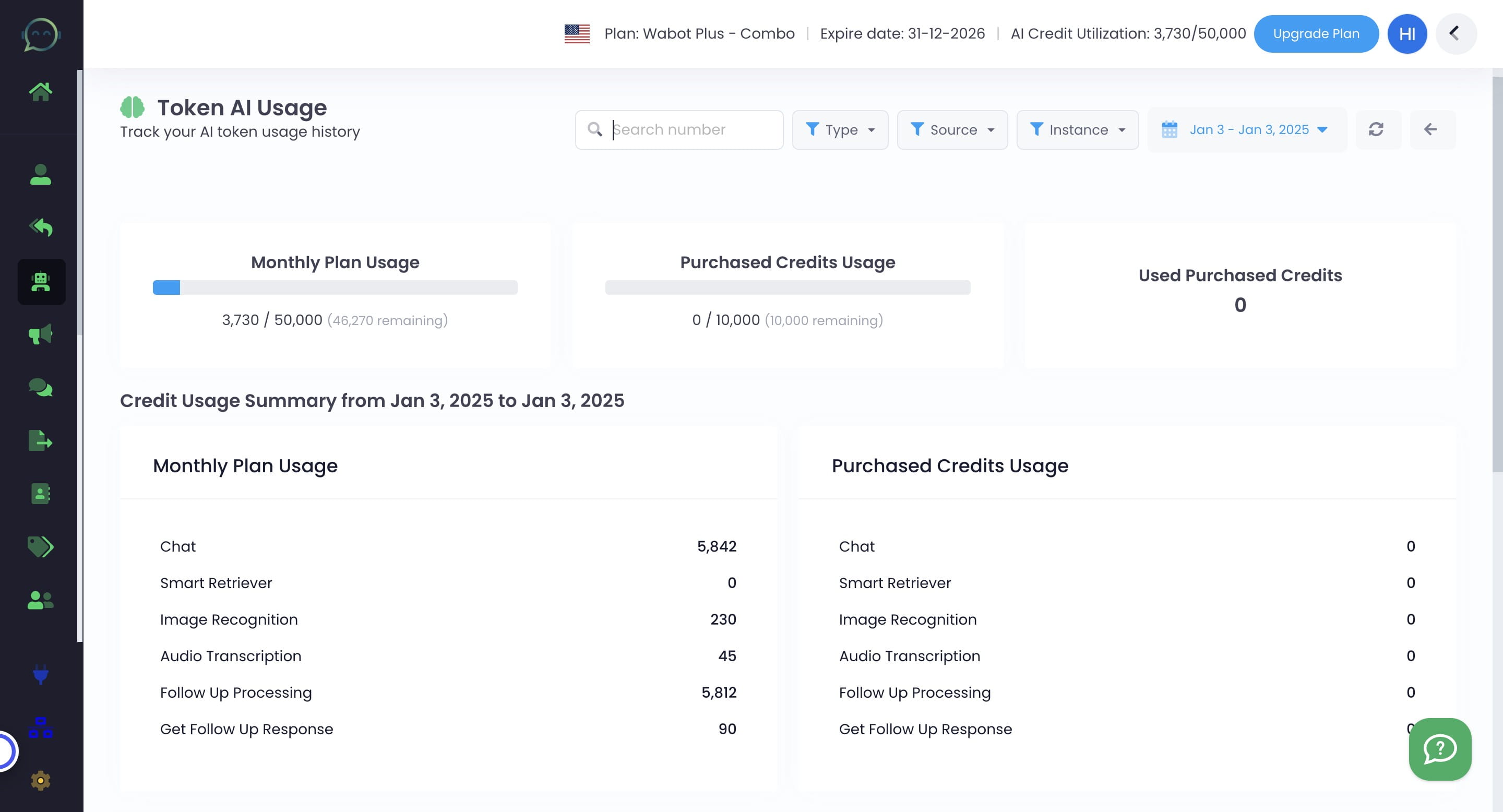
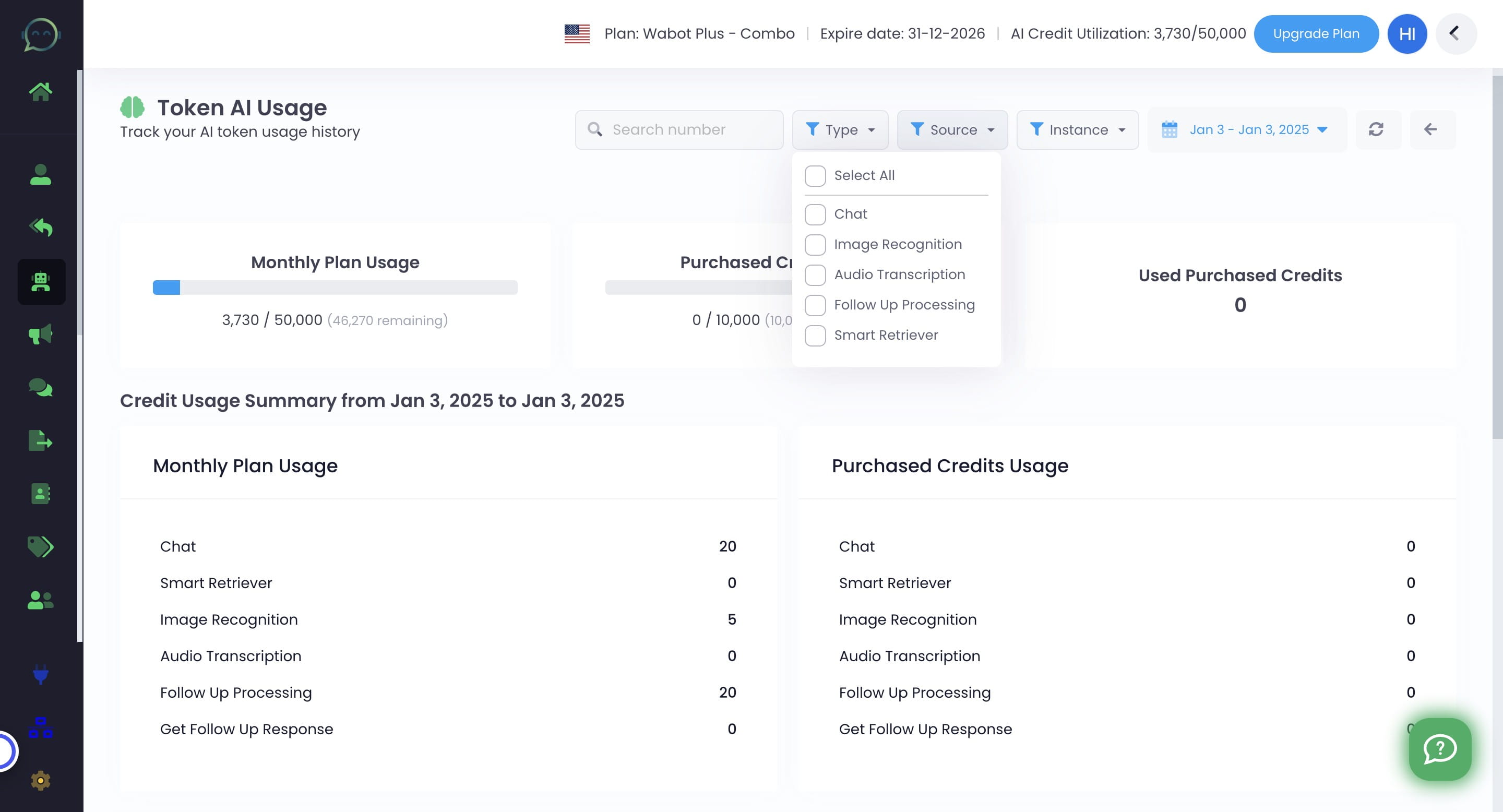
Select which feature that you want to see the details of
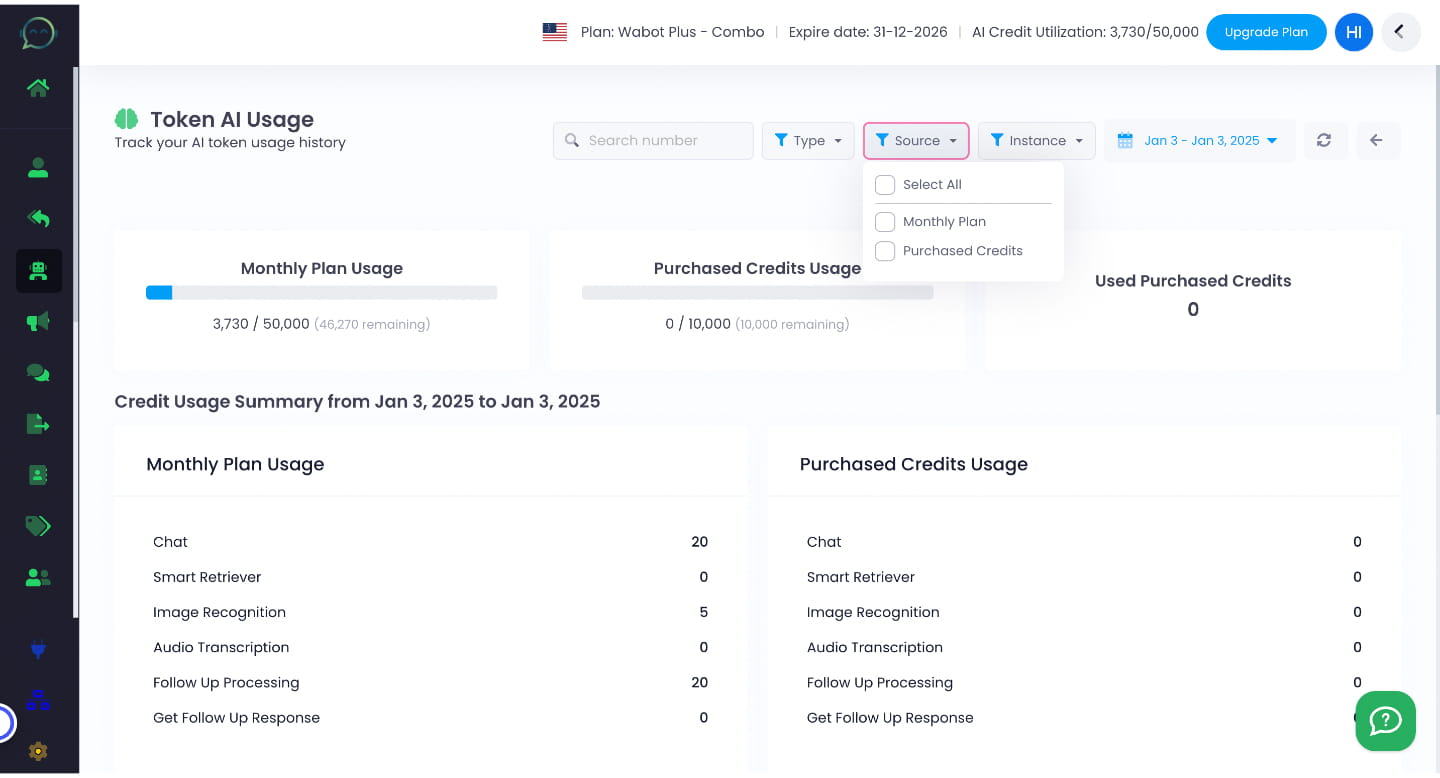
Select its source whether the monthly plan or purchased credits
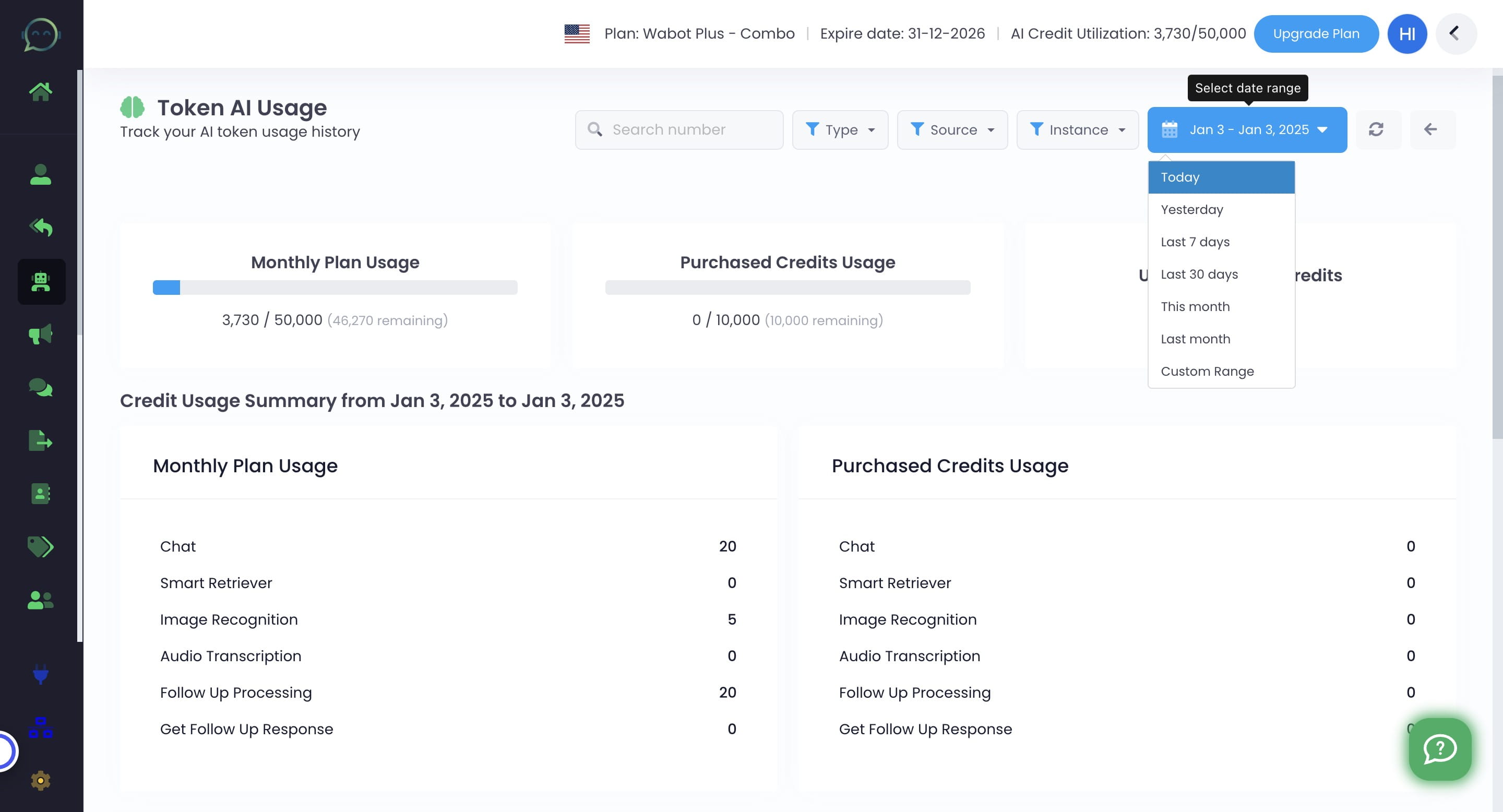
Select the date range
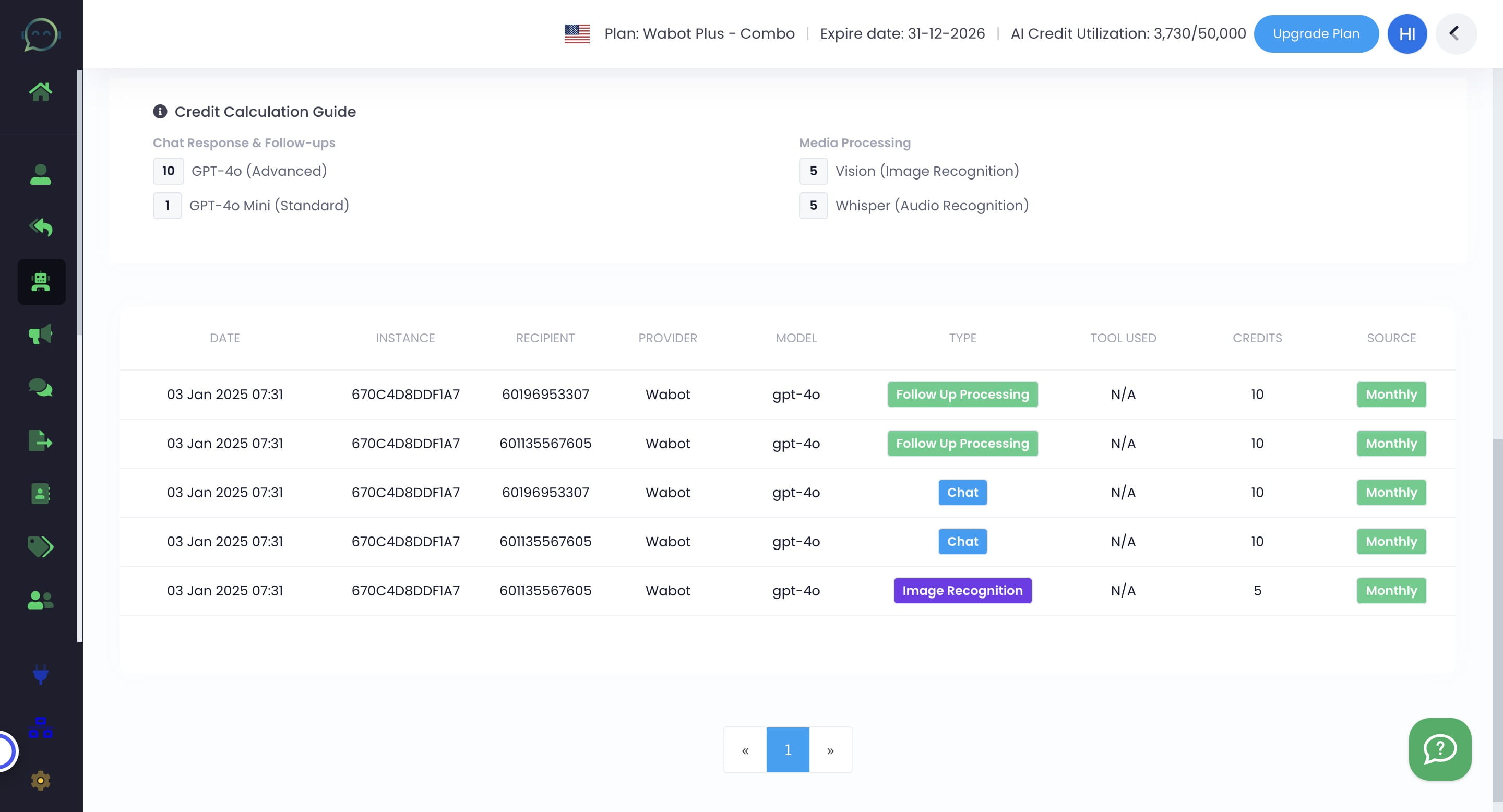
This is the monthly plan usage from Wabot
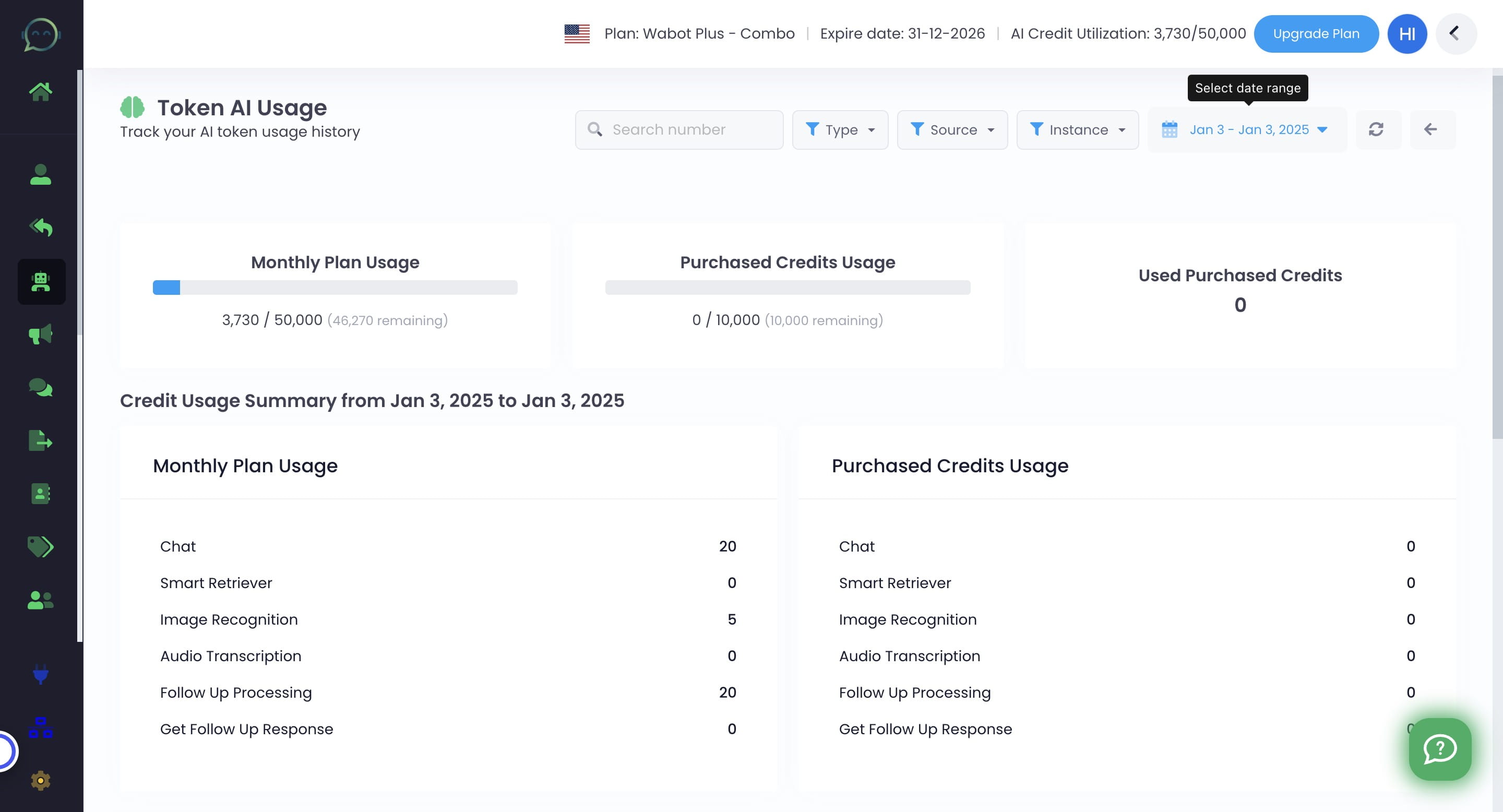
This one is your own purchased credits usage
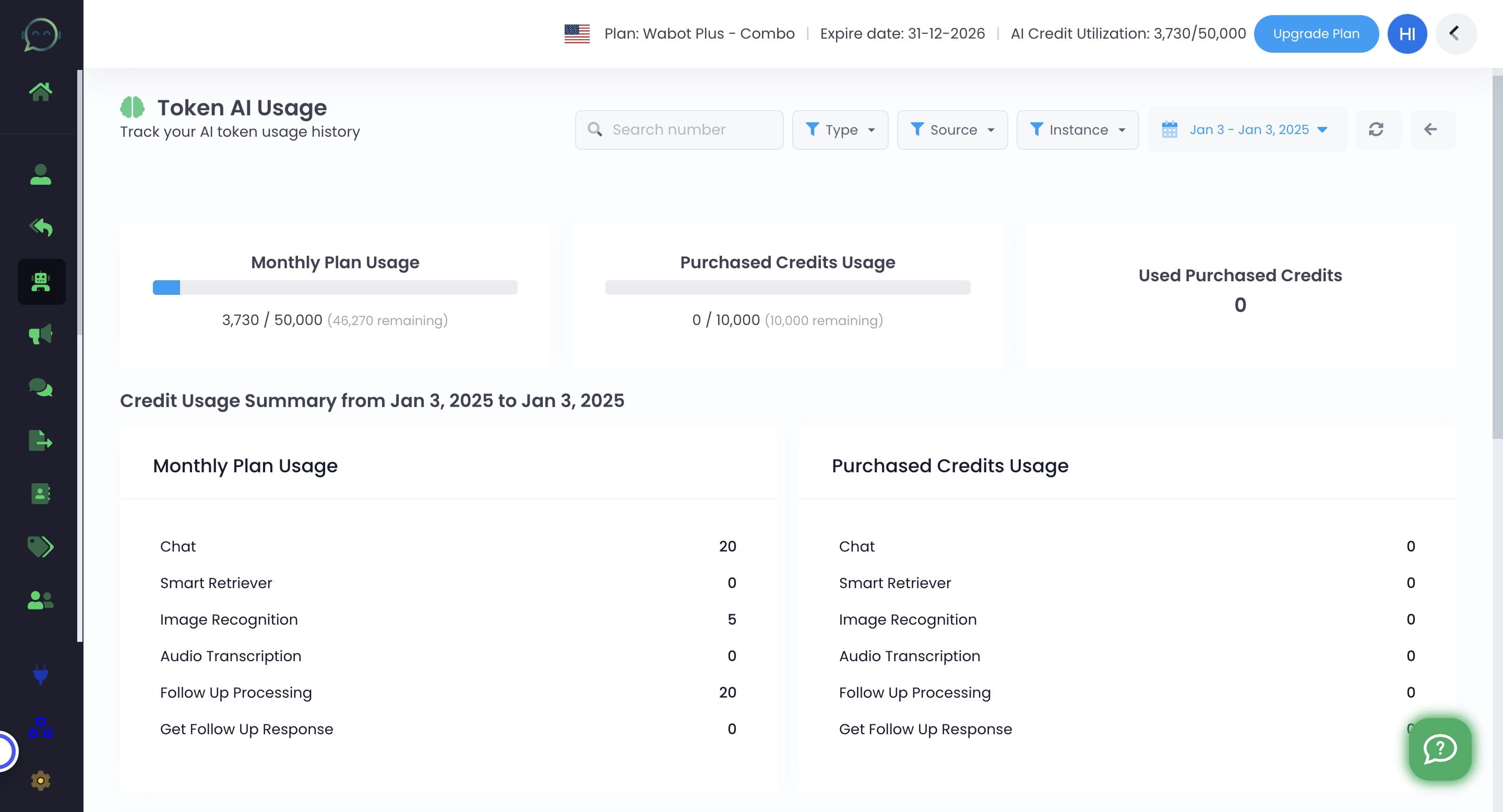
You can also see the used purchased credits
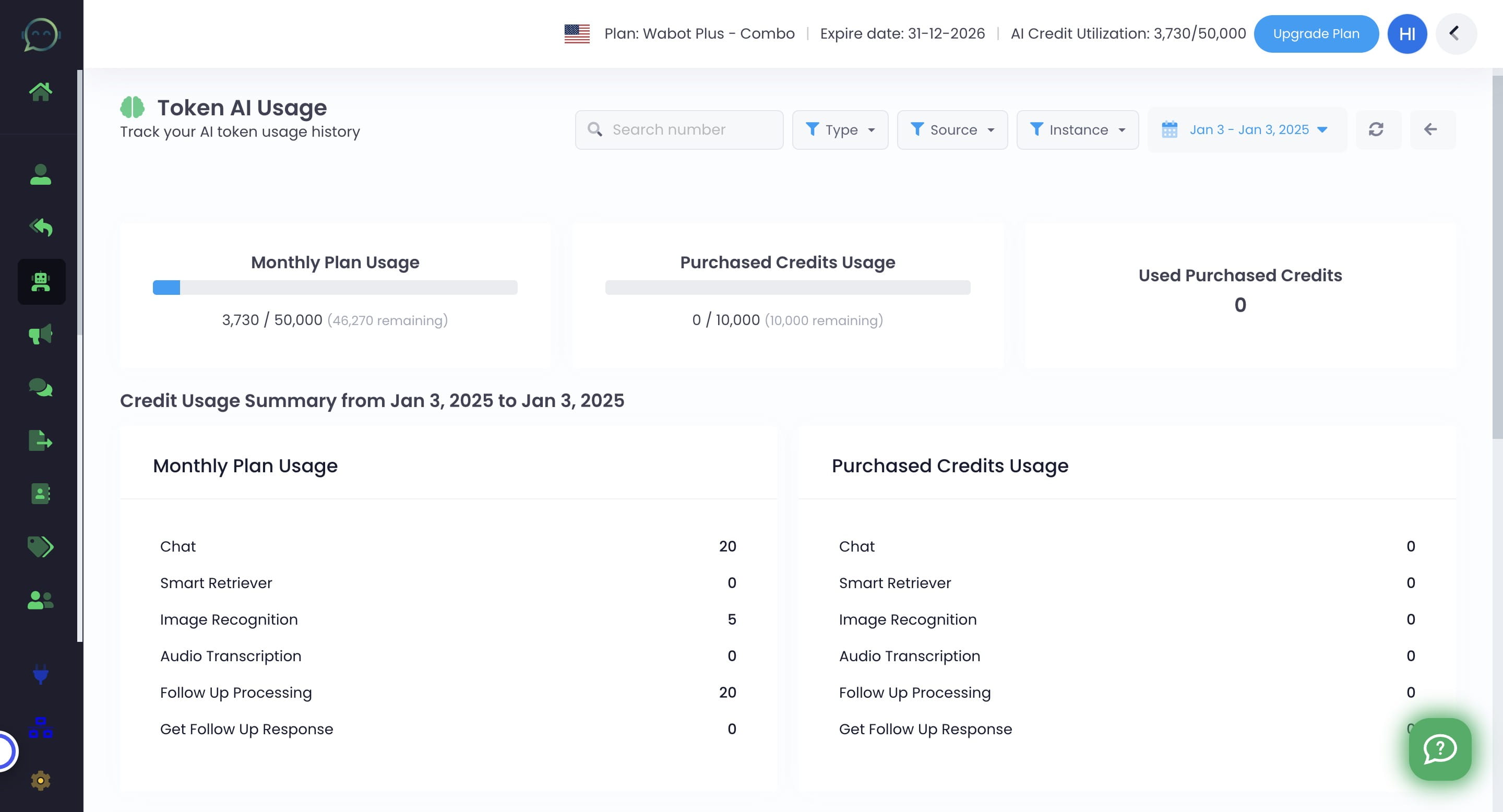
Here is the summary for "Monthly Plan Usage"
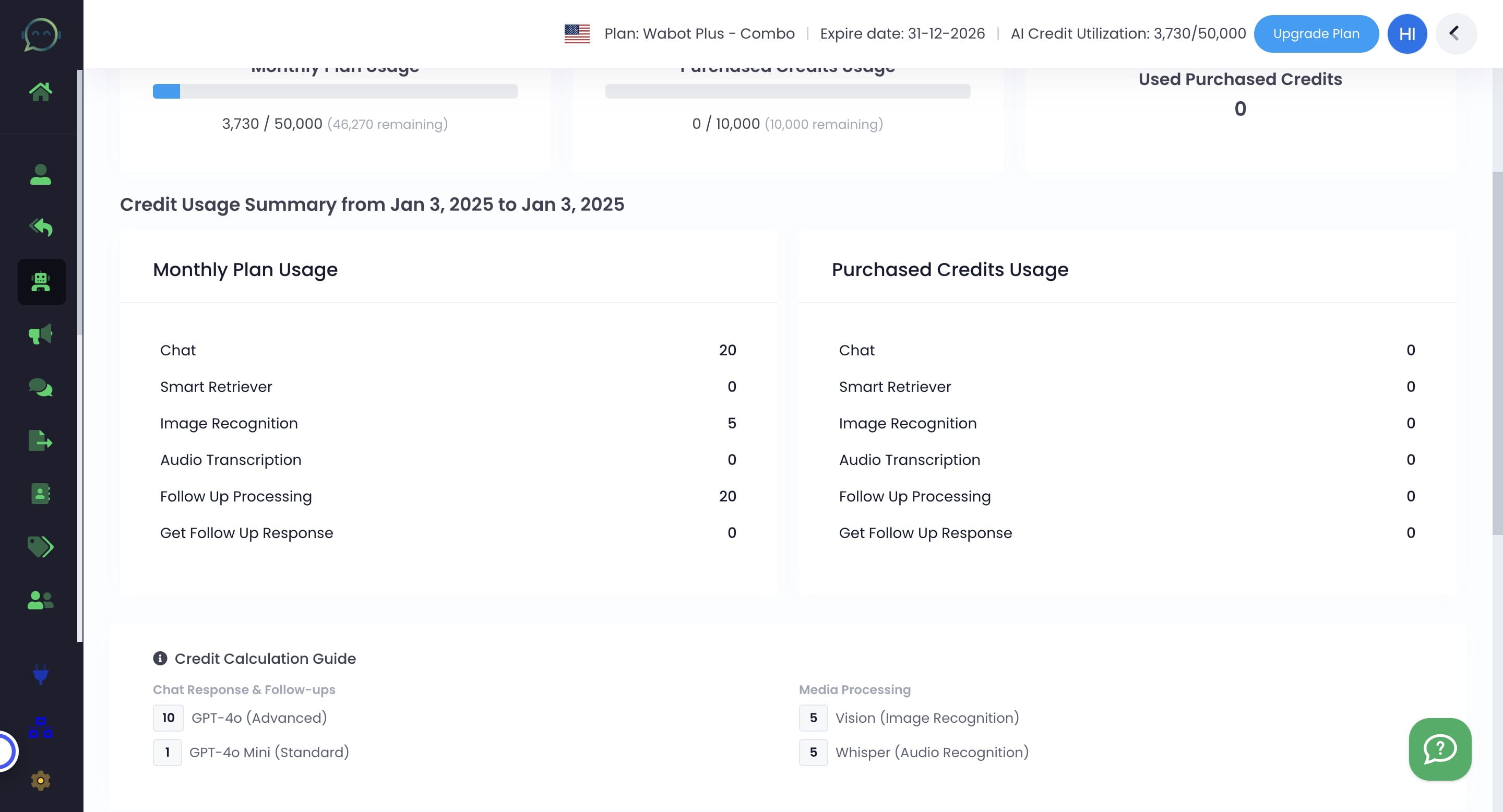
Here is the summary for "Purchased Credits Usage"
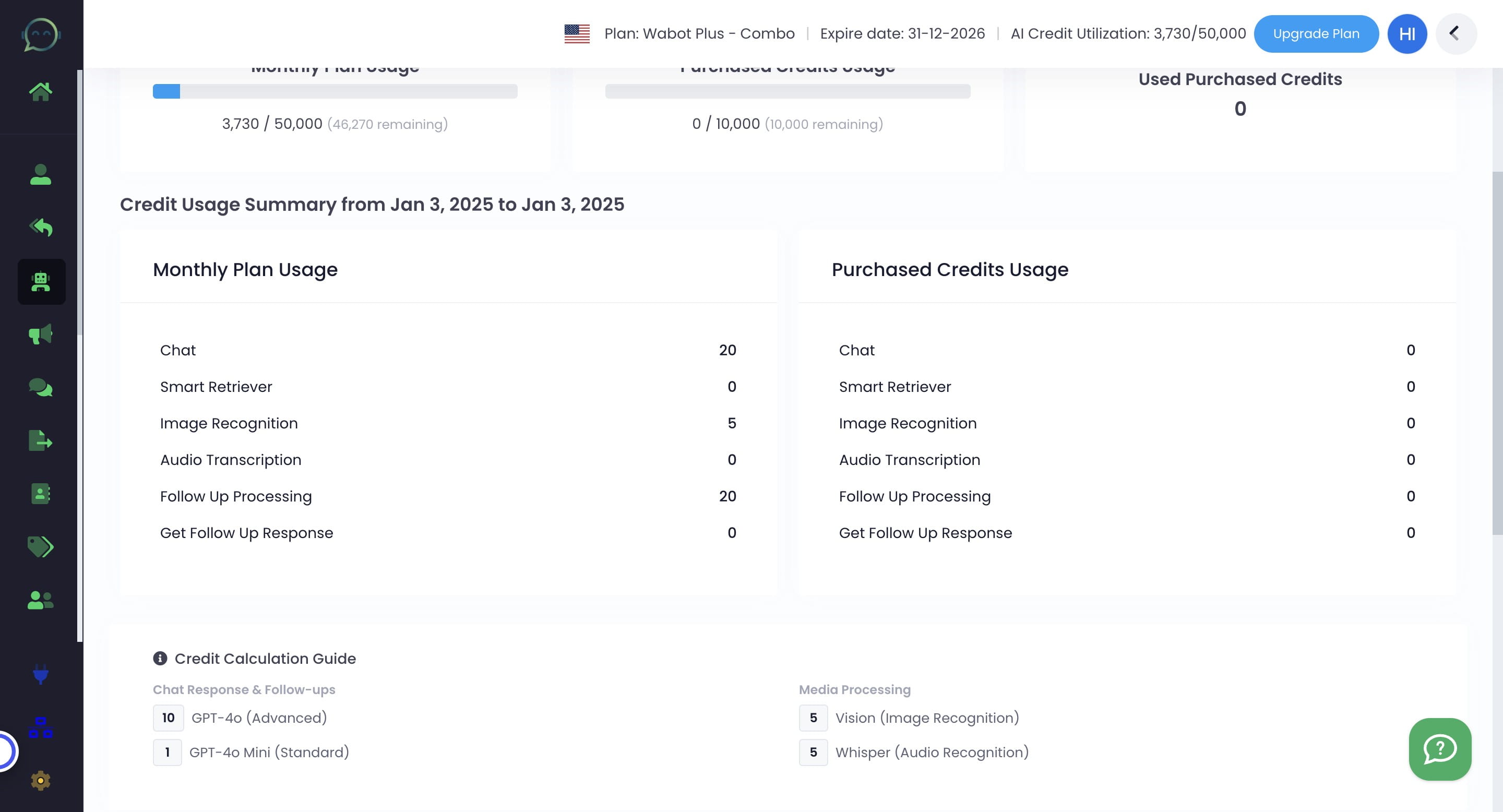
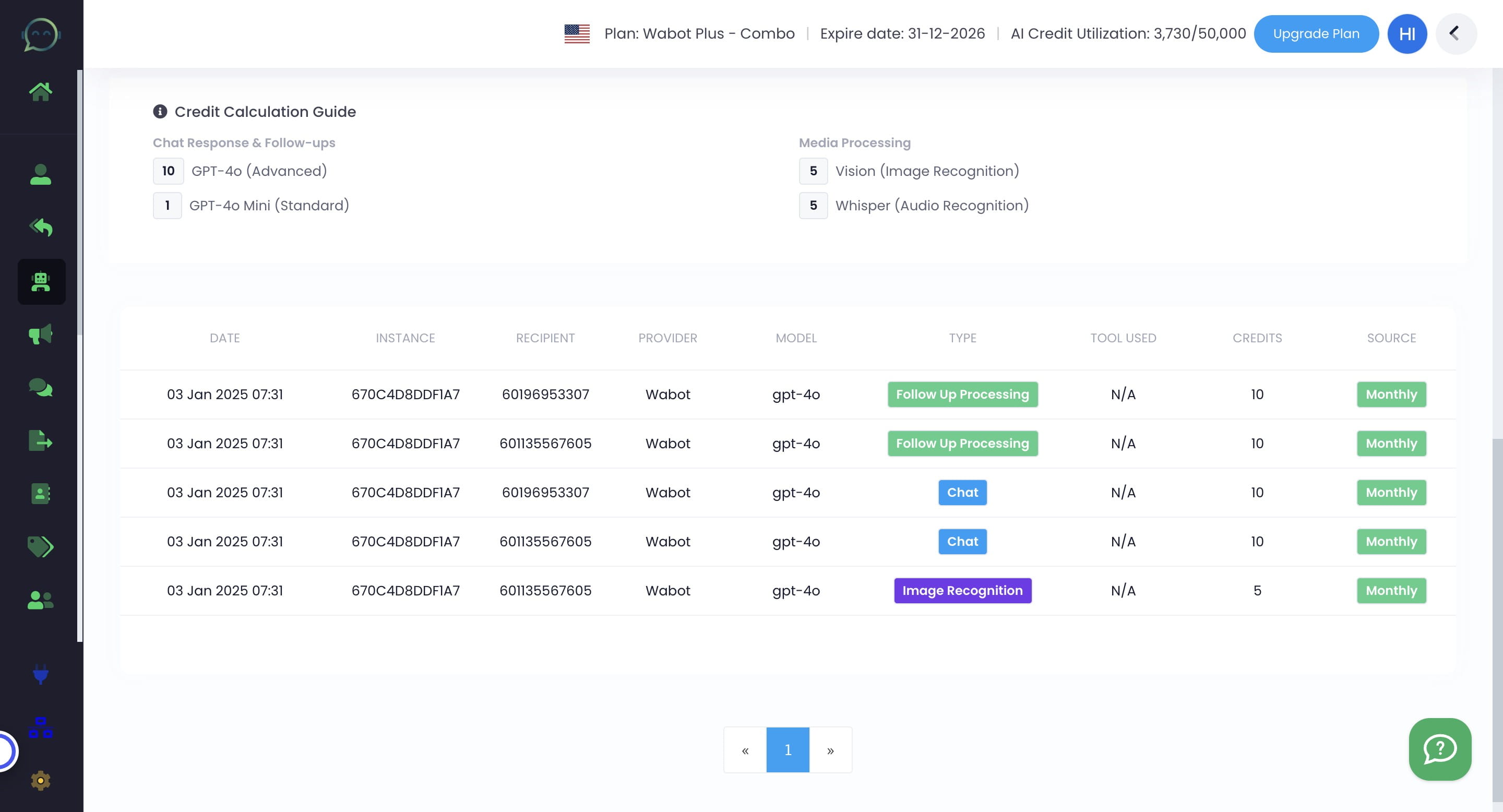
You can see how many credits each type of process takes
This is just for the tracking of your credit AI via Wabot key. For OpenAI key, you have to check by yourself at https://platform.openai.com/usage