

Basic Troubleshoot To Fix Common Issues
Sometimes your broadcast is now running and your chatbot is not replying. No worries, simply do this basic troubleshoot first.
Apr 30, 2025●
1
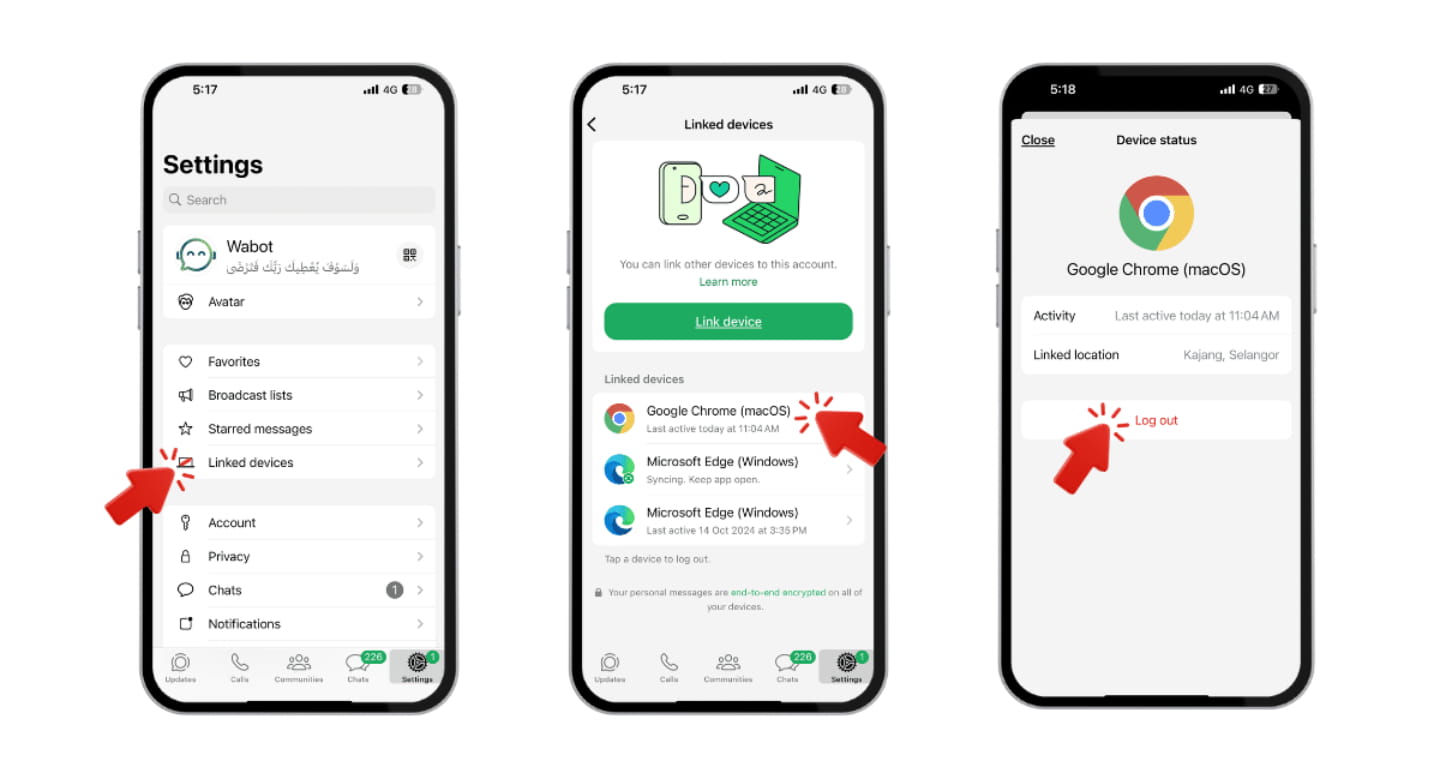
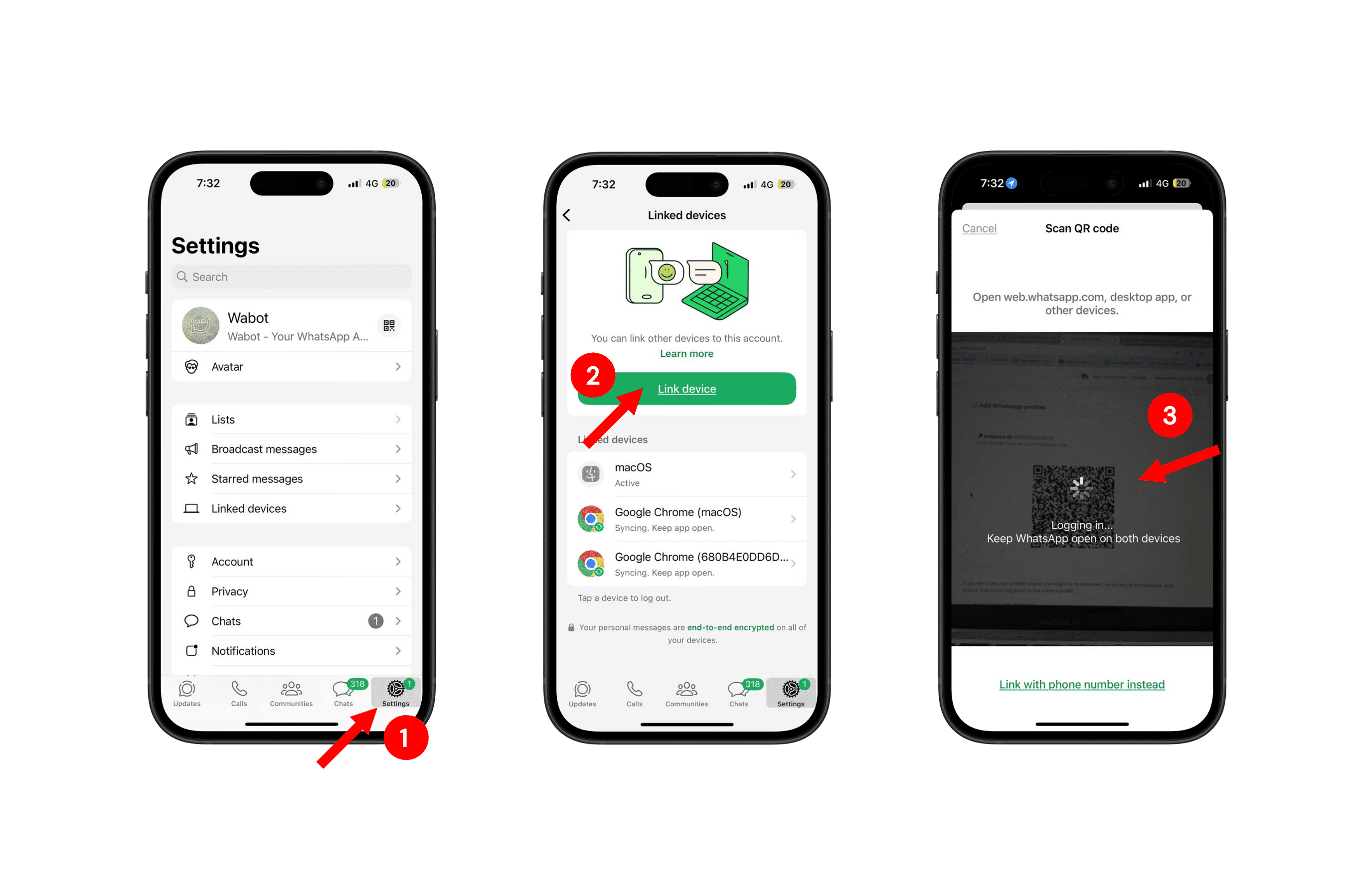
The first step is to remove all linked devices in your WhatsApp
2
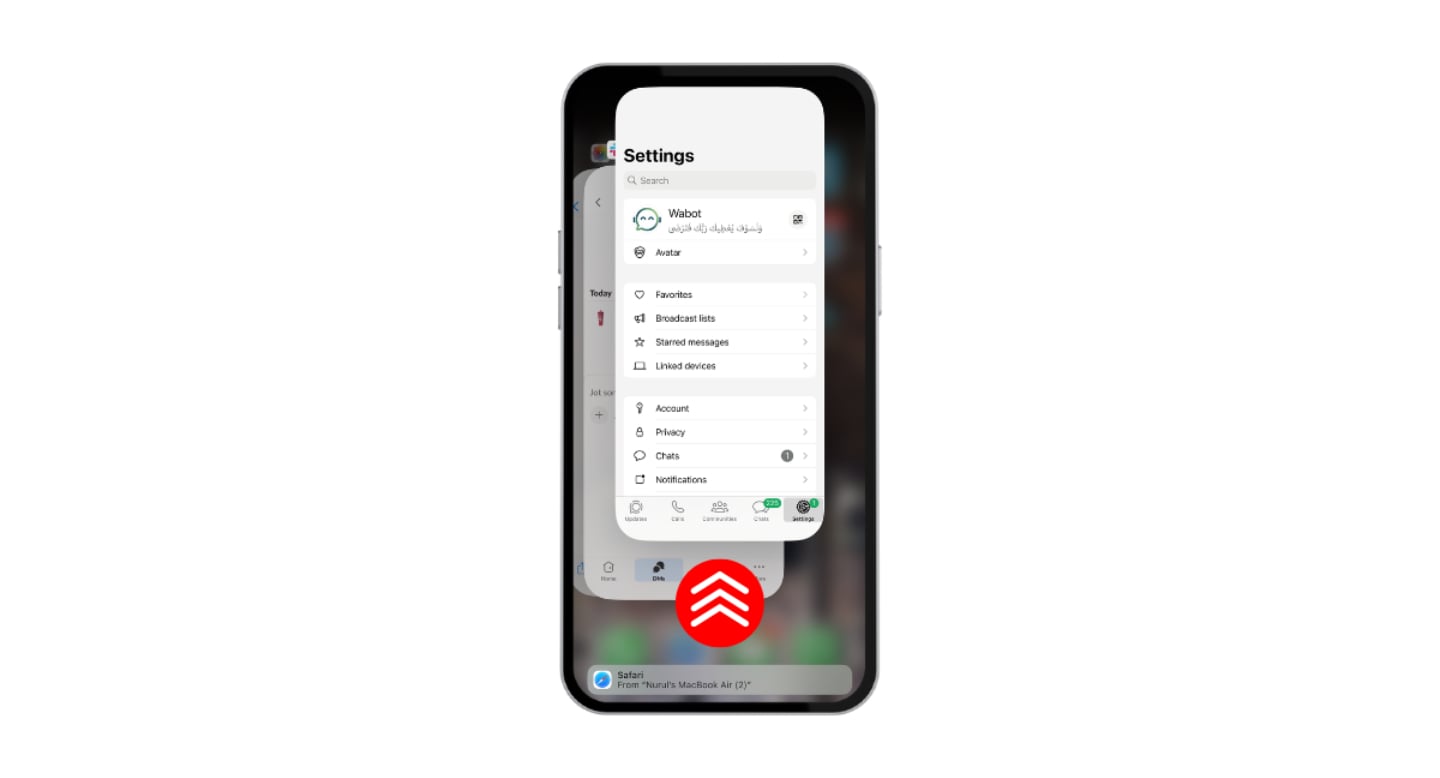
Then restart your WhatsApp by swiping it upwards
3
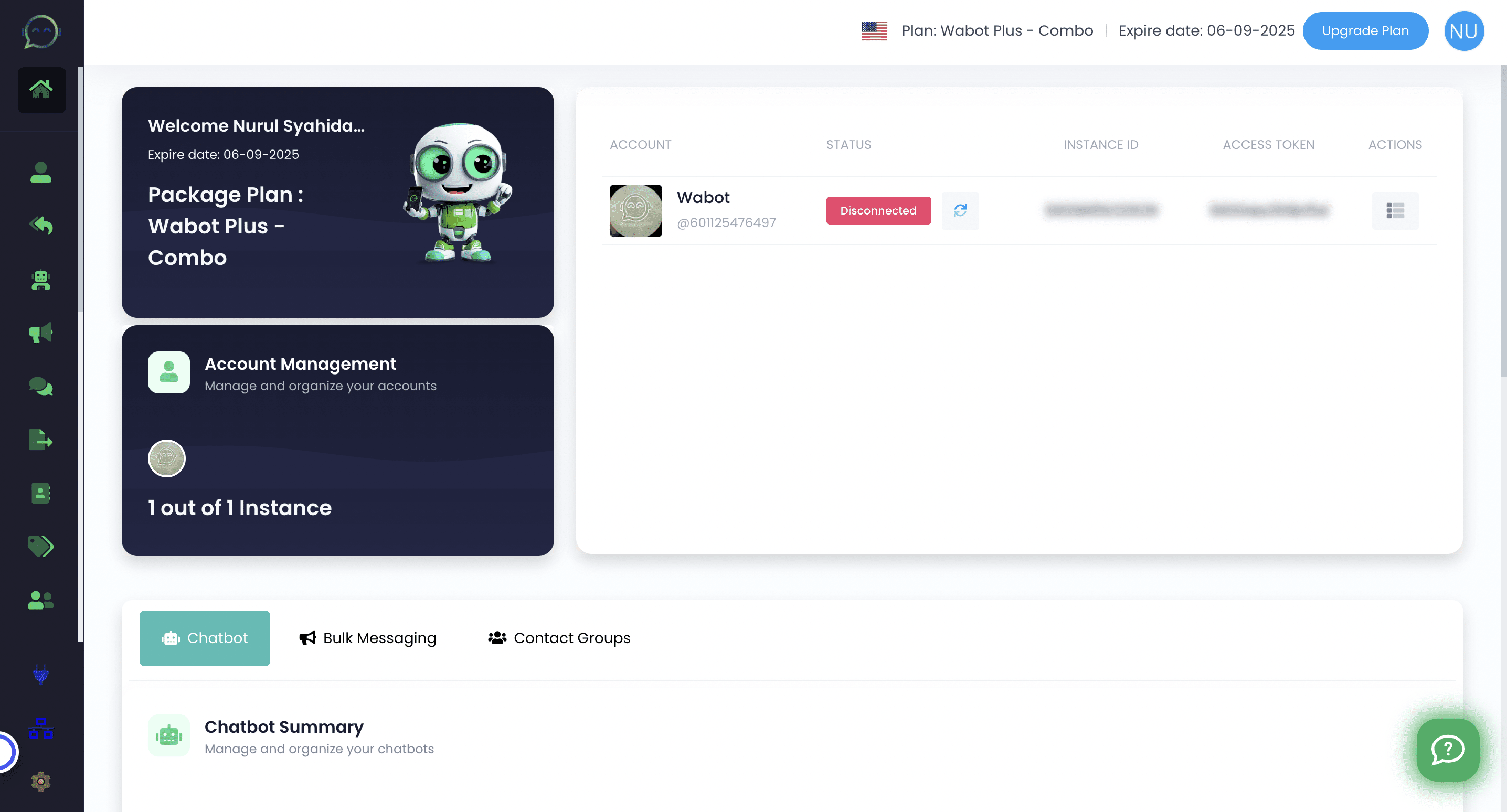
Next navigate to https://app.wabot.my/dashboard
4
Click this icon to reconnect

5
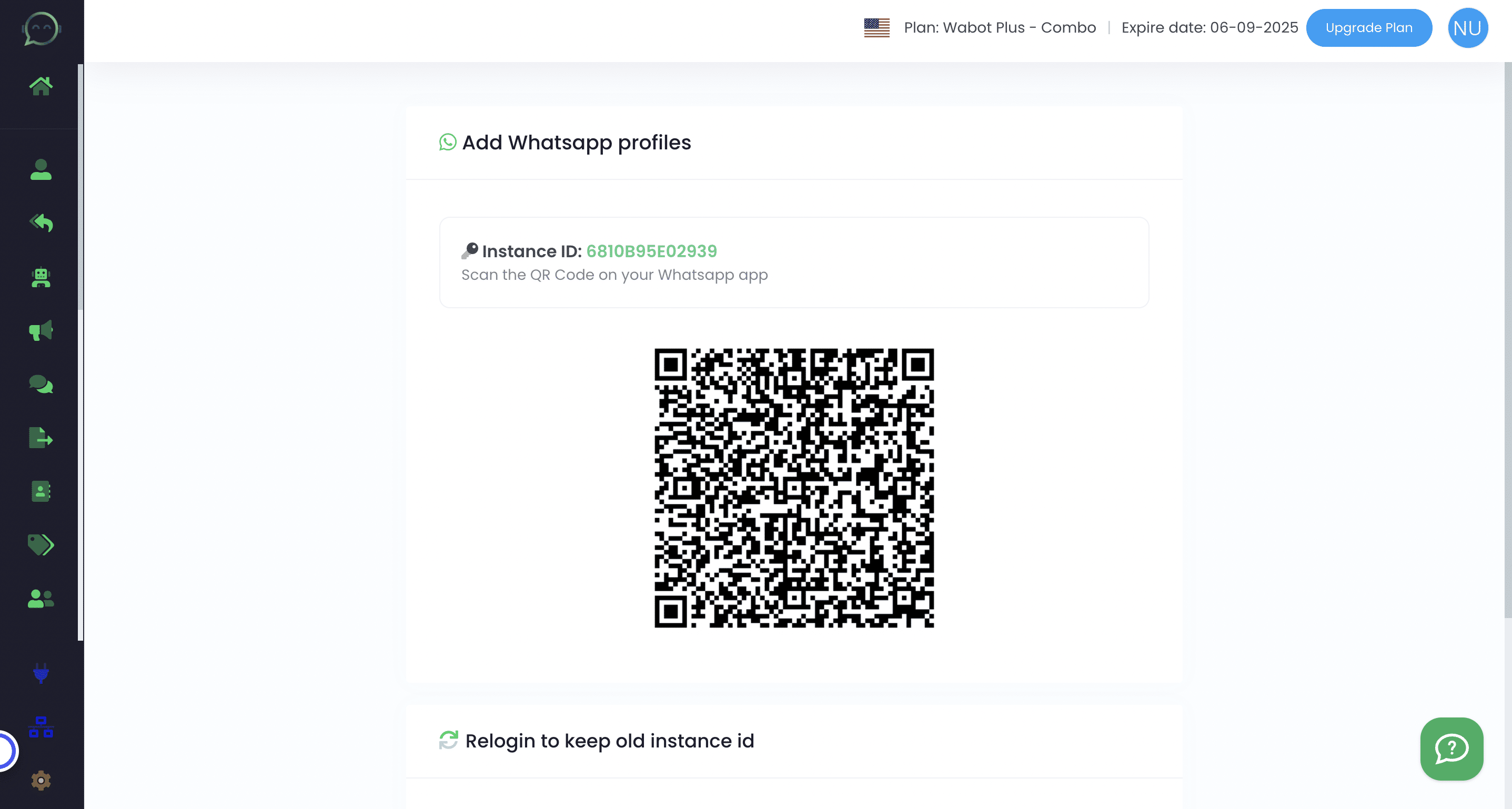
Scan again this QR code using your WhatsApp account
6
From your WhatsApp, kindly scan the QR code in Wabot
7
Your number is connected again 🎉
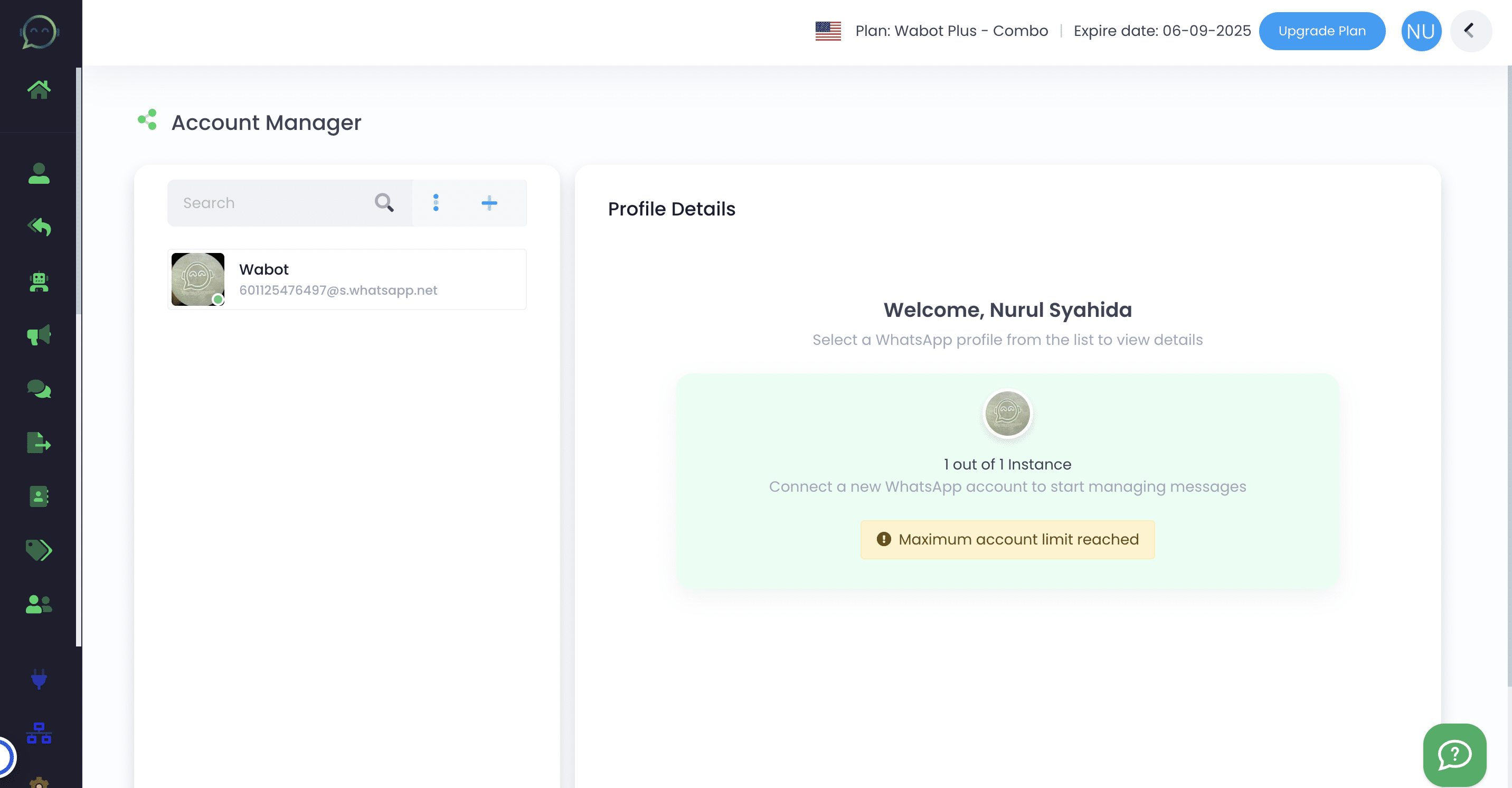
Usually after doing this, error like broadcast not working, chatbot not replying will be solved
If your issues is not yet being solved after following all the steps above, kindly contact us here